Set up Gong service credential
A Gong service credential lets a Glean agent call the Gong Representational State Transfer (REST) API as a workspace service account instead of as any individual user. You create a Gong API key (an Access Key and an Access Key Secret), store it once in Glean, and the agent can then read Gong data such as calls, transcripts, users, and stats.
Glean handles authentication automatically. The credential is stored encrypted, and the agent never sees the raw key or secret.
- Authentication: Gong API key over HTTP Basic auth
- Scope: Workspace-level. A Gong API key has access to all API endpoints available to the account that generated it. Gong does not offer per-scope selection for API keys; granular scopes apply only to Gong's separate OAuth integration flow.
- Access: Read-only by Glean policy. Agents are configured to perform only read operations, though the underlying API key is not inherently restricted to reads.
Prerequisites
Complete the following prerequisites:
- Have a Technical Administrator role in Gong to generate API keys.
- Work with a Glean administrator who can create service credentials.
- Enable the Gong template for your deployment. If you do not see Gong in the list of templates, contact your Glean representative to turn it on.
Create an API key in Gong
-
Sign in to Gong as a Technical Administrator and go to Company Settings → Ecosystem → API.
-
Click Get API Key. Gong shows an Access Key and an Access Key Secret. Copy both.
ImportantThe Access Key Secret is shown only once. Copy it immediately and store it somewhere safe — Gong can't recover it later. If you lose it, you will have to generate a new key pair.
-
No additional scope configuration is needed. Gong API keys are workspace-scoped and grant access to all API endpoints available to your Gong account. If your organization also uses Gong's OAuth apps, those follow a separate authorization model with granular scopes. The API-key flow described here does not support scope selection.
Create the service credential in Glean
- In Glean, go to Admin console → Platform → Tools → Service credentials.
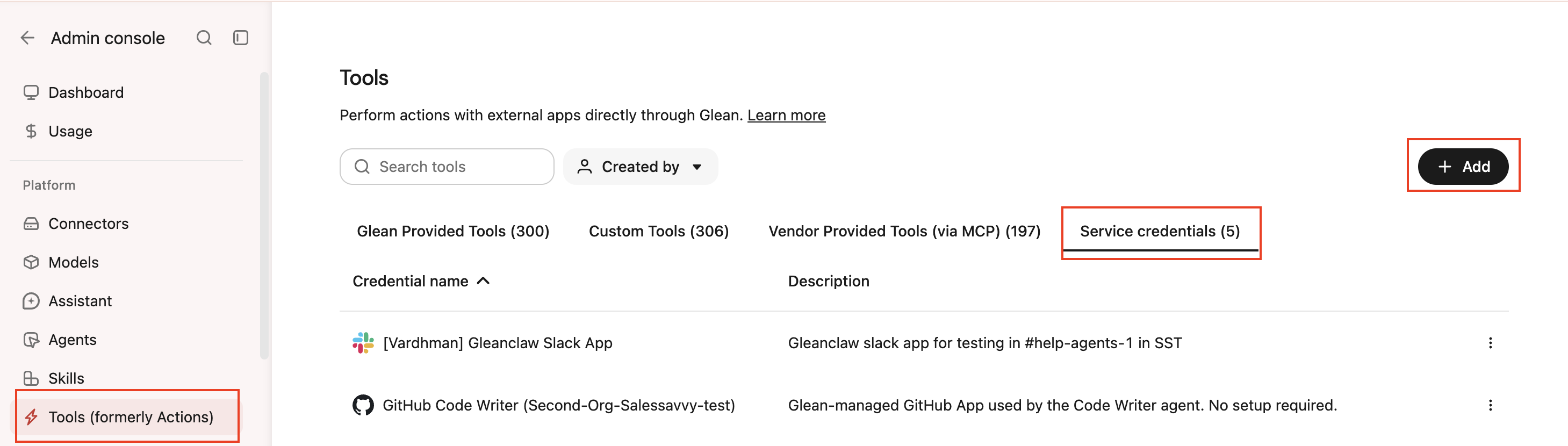
- Click Add.
- Select Gong under Service credentials.
- Fill in these fields:
- Credential name: A human-readable name for the credential.
- Description: A brief description of what this credential is used for.
- Access Key: The access key generated in Gong. Used as the Basic auth username.
- Access Key Secret: The access key secret paired with the access key (stored encrypted). Used as the Basic auth password.
- Audience: Which users or groups can attach this credential to agents.
- Select Save. Glean stores the access key secret as an encrypted secret and doesn't display it again.
Attach the credential to an agent
When the agent makes a request to api.gong.io, Glean automatically attaches the correct authentication header. The agent also gains a Gong skill that explains how to call the Gong REST API.
-
Go to Agents in Glean.
-
Select the agent to which you want to add the service credentials.
-
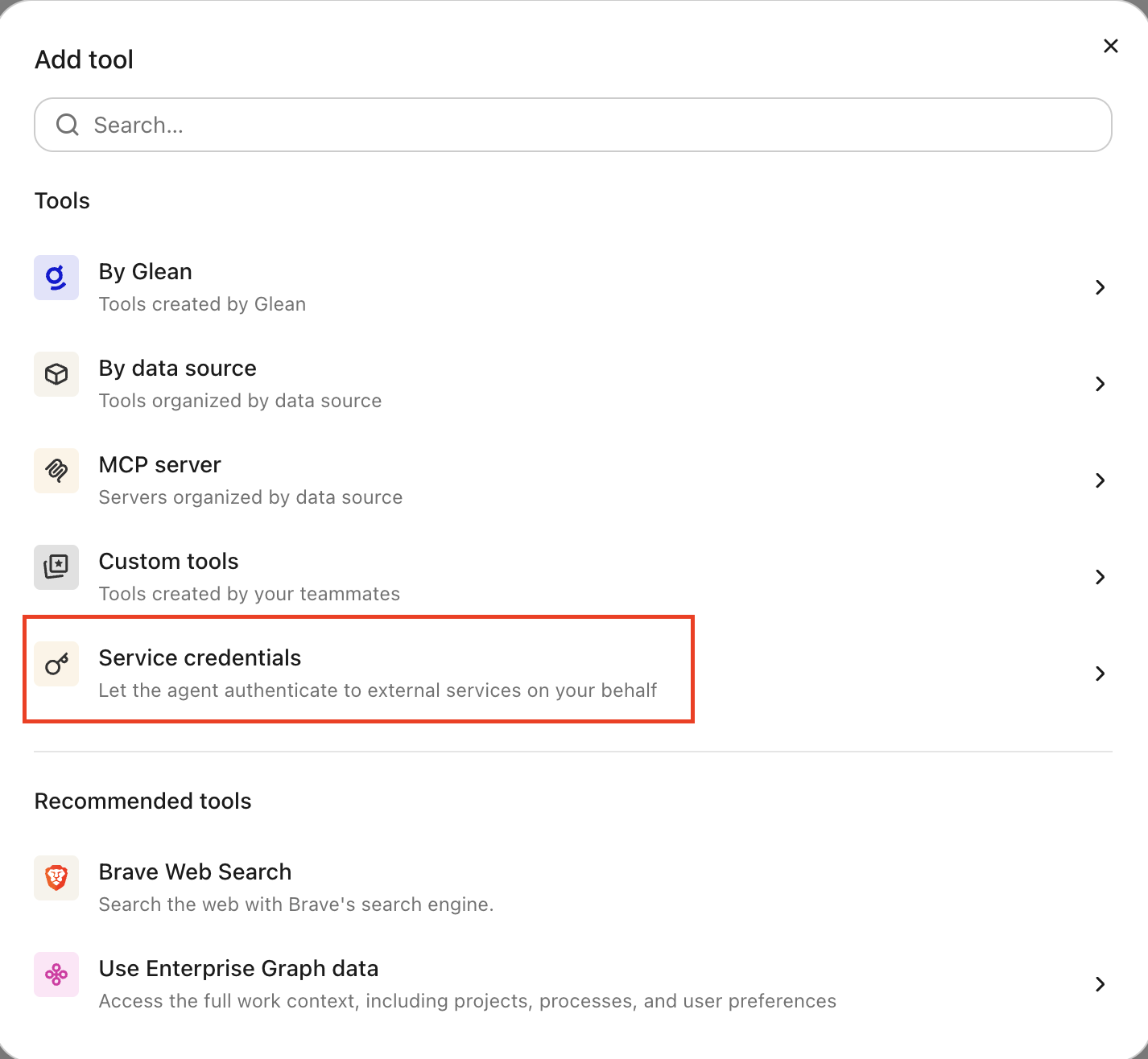
In the Tools tab, select Service credentials and select the Gong credential you created.
Verify it works
Ask the agent something that requires Gong data, for example, "summarize my most recent Gong call." If it returns call content, the credential is working.
What the agent can do
With a Gong credential attached, the agent can read from the Gong REST API (https://api.gong.io/v2):
- List and read calls, including detailed call data
- Retrieve call transcripts
- List users
- Read stats
The credential is read-only by Glean policy. Agents are configured to perform only read operations and are not permitted to perform destructive operations such as deleting calls, modifying users, or changing workspace settings. The underlying Gong API key itself is not inherently limited to reads; the Glean agent runtime enforces the read-only restriction.
Security and operational notes
- Workspace-scoped and high-privilege: a Gong API key is not tied to a single user. It can reach all data accessible through the Gong API across the workspace. Treat it as a sensitive secret.
- Injected server-side: the agent runtime never receives the raw Access Key or Secret. Glean adds the authentication header only to requests bound for
api.gong.io. - Rate limits: Gong enforces roughly 3 requests per second, 3 concurrent requests, and 10,000 requests per day per workspace. If Gong returns
429 Too Many Requests, the agent backs off using theRetry-Afterheader. - Rotation: to rotate, generate a new key pair in Gong, update the Access Key and Access Key Secret on the credential in Glean, then revoke the old key in Gong.