Set up Linear service credential
A Linear service credential connects Glean to Linear's hosted MCP server with a Linear OAuth application's client credentials instead of per-user OAuth. Use it when an agent should act under a shared, non-human identity rather than an individual person's login. By default, only agent builders can attach it, and it isn't available as an end-user tool in Glean Assistant or Chat.
Linear doesn't provide a separate service-account user for this flow. Instead, you create a Linear OAuth application and give Glean its client ID and client secret. Glean exchanges those credentials for an app-actor access token using Linear's client_credentials grant and refreshes the token automatically before it expires. The agent's actions are attributed to the OAuth application rather than to an individual user.
- Authentication: OAuth 2.0 client credentials (Linear OAuth application)
- Scope: Public teams in the Linear workspace, limited by the scopes you configure
- Access: Read and write by default (
read,write), governed by the configured scopes
The credential can't access private teams. To work with a private team, make the team public or use the per-user OAuth Linear template instead.
Prerequisites
- A Linear workspace owner who can create OAuth applications.
- Permission to manage API keys and OAuth applications in Linear.
- A Glean administrator who can create service credentials.
Create an OAuth application in Linear
- Sign in to Linear as a workspace owner and go to Settings → API → OAuth applications → Create new.
- Enter a name for the application, such as
Glean, and complete the required fields. - For Redirect URIs, enter any valid URL, such as
https://app.glean.com. The form requires this field, but the client-credentials flow doesn't use browser redirects. - Enter the developer name and URL. You can use your name and company URL.
- Select Create, then copy the Client ID and Client secret. You'll enter both values in Glean.
Enable client credentials in Linear
- Open the OAuth application's settings.
- Turn on Client credentials or Support generating OAuth access tokens using the
client_credentialsgrant type. - Don't generate an access token manually. Glean requests and refreshes the token after you add the credentials.
Create the service credential in Glean
-
In Glean, go to Admin console → Tools → Add → Vendor Provided Tools (via MCP).
-
Search for Linear (Service Account).
-
Enter a short Label, such as
engineering,staging, orproduction, to distinguish this server if you add multiple Linear service accounts. -
In the API key field, enter the client ID and client secret in this exact format:
client_id=<your client id>;client_secret=<your client secret> -
To request specific scopes, append
;scope=followed by a comma-separated list. For example, for read-only access:client_id=<your client id>;client_secret=<your client secret>;scope=readThe default is
read,write. Supported scopes include:readwriteissues:createapp:assignableapp:mentionable
-
Select Save.
After the tools sync, enable the Linear actions for the intended agents. Keep the tools enabled for Agents only unless your deployment has a different approved use case.
Attach the credential to an agent
-
Go to Agents in Glean.
-
Select the agent to which you want to add the service credentials.
-
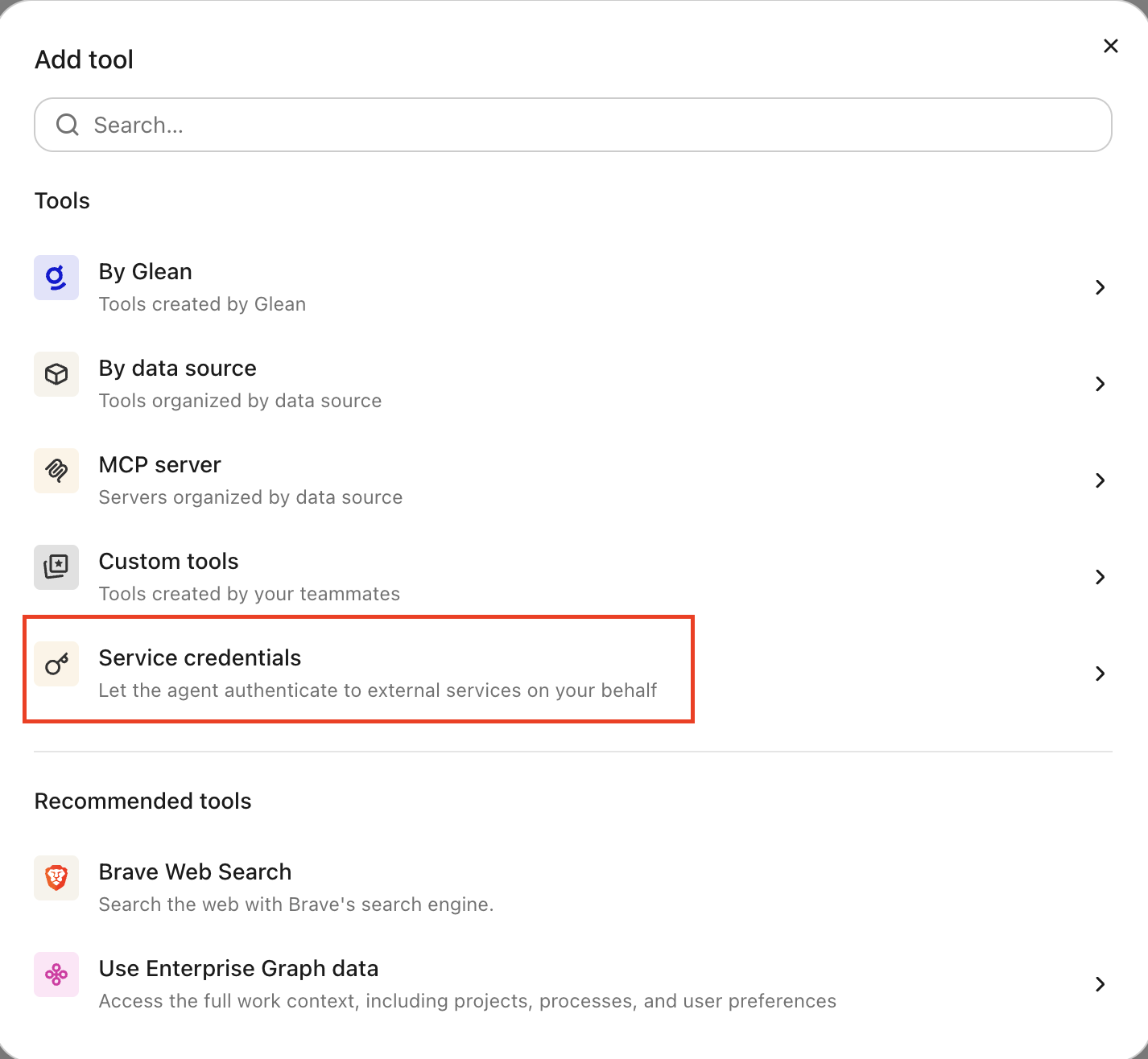
In the Tools tab, select Service credentials and select the Linear service credential you created.
Verify it works
Ask the agent to list issues or fetch a known issue, for example, "Show me the details of ENG-123." If it returns data, the credential is working.
What the agent can do
With a Linear credential attached, the agent can work with Linear:
- Search and list issues across public teams
- Fetch a specific issue by its identifier, for example,
ENG-123 - Create and update issues, when the
writeorissues:createscope is granted - Look up projects and teams that are public in the workspace
The agent operates under a non-human identity scoped to the OAuth application's granted scopes, and its actions are attributed to the application rather than to an individual user.
Security and operational notes
- App-actor identity: Glean exchanges the client ID and client secret for an app-actor token and refreshes it automatically before it expires. Actions are attributed to the OAuth application, not to an individual user.
- Public teams only: the credential can't reach private teams. To work with a private team, make the team public or use the per-user OAuth Linear template.
- Least privilege: the default scope is
read,write. Grant only the scopes the agent needs: usereadfor read-only access, or the narrowerissues:createinstead of fullwrite. - Secret rotation: rotating the OAuth application's client secret invalidates existing tokens. Update the credential in Glean with the new secret and save the tool again.
- Revocation: to cut off access, delete the OAuth application in Linear or remove the Linear service credential in Glean.