Set up Snowflake service credential
A Snowflake service credential lets a Glean agent query the Snowflake SQL API as a service user (TYPE = SERVICE) — not as any individual user. You register an RSA public key on the service user in Snowflake and store the account identifier, user, and matching private key in Glean.
Glean mints a short-lived signed token from the private key on each request, so there is no token to expire and the agent never sees the key.
- Authentication: Service user with RSA key-pair. Glean signs a short-lived key-pair JWT
- Scope: The Snowflake SQL API (
/api/v2/statements), bounded by the role of the service user - Access: Read-only SQL (
SELECT,SHOW,DESCRIBE)
Prerequisites
Complete the following prerequisites:
- Have access to Snowflake with a role that can create users and network policies, for example,
ACCOUNTADMINorUSERADMIN. - Work with a Glean administrator who can create service credentials.
- Enable the Snowflake template for your deployment. If you do not see Snowflake in the list of templates, contact your Glean representative to turn it on.
Generate an RSA key pair
Generate an unencrypted key pair. Keep the private key safe, you will need it while setting up the credentials in Glean.
openssl genrsa 2048 | openssl pkcs8 -topk8 -inform PEM -out rsa_key.p8 -nocrypt
openssl rsa -in rsa_key.p8 -pubout -out rsa_key.pub
Create the service user and grant a read-only role
Create a dedicated service user and grant it a role scoped to only the data the agent should read. Setting DEFAULT_ROLE keeps queries bounded to that role.
CREATE USER glean_agent TYPE = SERVICE DEFAULT_ROLE = analytics_read_only;
GRANT ROLE analytics_read_only TO USER glean_agent;
Register the public key
Set the public key on the user (paste the key body, without the -----BEGIN/END PUBLIC KEY----- lines).
ALTER USER glean_agent SET RSA_PUBLIC_KEY = 'MIIBIjANBgkqhki...';
Attach a network policy
Service users require a network policy. Allowlist Glean's egress IPs so the service user can be used from Glean.
CREATE NETWORK POLICY glean_agent_policy ALLOWED_IP_LIST = ('<glean-egress-ip>');
ALTER USER glean_agent SET NETWORK_POLICY = glean_agent_policy;
Ask your Glean representative for your deployment's egress IP addresses.
Create the service credential in Glean
- In Glean, go to Admin console → Platform → Tools → Service credentials.
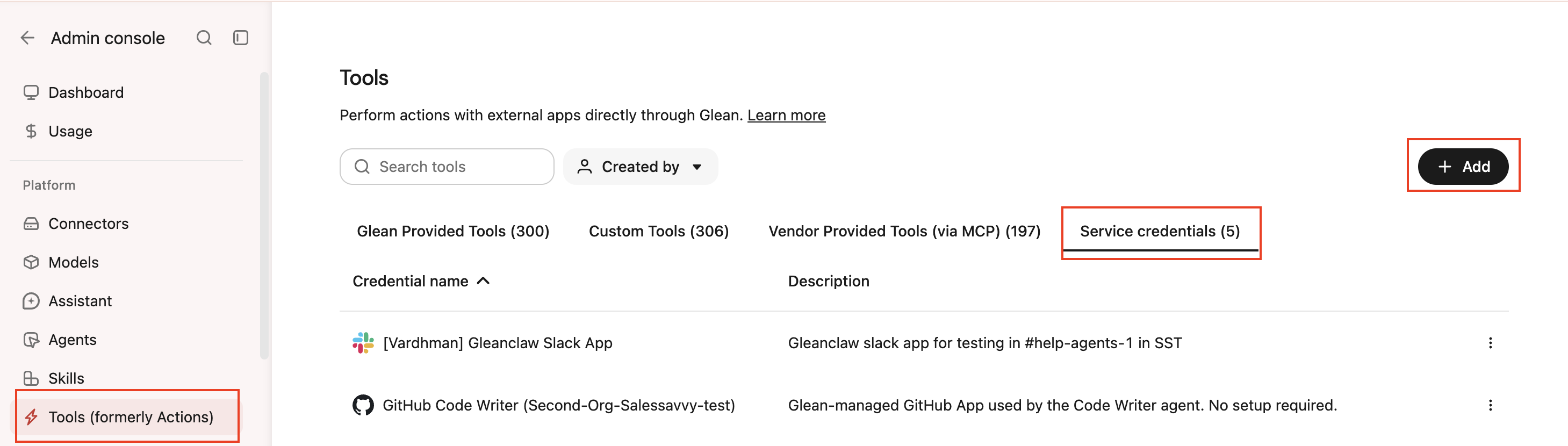
- Click Add.
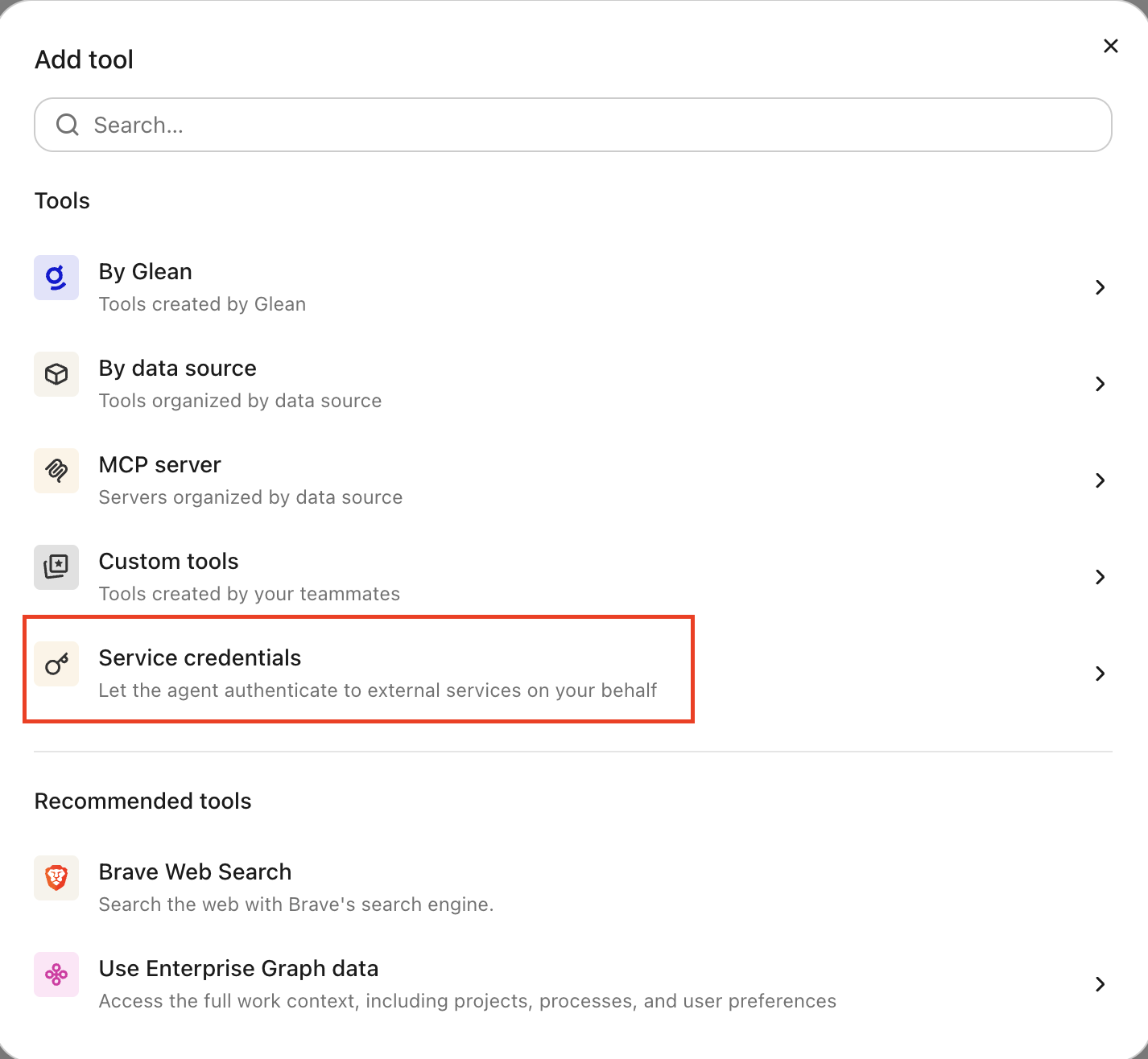
- Select Snowflake under Service credentials.
- Fill in these fields:
- Credential name: A human-readable name for the credential.
- Description: A brief description of what this credential is used for.
- Account identifier: Your Snowflake account identifier, in the form
<orgname>-<account_name>. - Service user: The
TYPE = SERVICEuser you created (for example,glean_agent) whose public key is registered for key-pair authentication. - Private Key (PEM): The full contents of the
rsa_key.p8private key whose public key is set on the service user (stored encrypted). - Audience: Which users or groups can attach this credential to agents.
- Select Save. Glean stores the private key as an encrypted secret and doesn't display it again.
Attach the credential to an agent
When the agent calls the Snowflake SQL API at https://<account>.snowflakecomputing.com/api/v2/statements, Glean signs a short-lived key-pair JWT and attaches it automatically. The agent also gains a Snowflake skill that explains how to call the SQL API.
-
Go to Agents in Glean.
-
Select the agent to which you want to add the service credentials.
-
In the Tools tab, select Service credentials and select the Snowflake credential you created.
Verify it works
Ask the agent to run a simple query such as select current_version(). If it returns a result, the credential is working.
What the agent can do
With a Snowflake credential attached, the agent can run read-only SQL through the Snowflake SQL API (https://<account>.snowflakecomputing.com/api/v2/statements): SELECT, SHOW, and DESCRIBE. Results are bounded by the service user's role.
The credential is read-only by policy. Agents are instructed not to perform data or schema mutations, such as INSERT, UPDATE, DELETE, MERGE, CREATE, ALTER, DROP, or TRUNCATE.
Security and operational notes
- No long-lived tokens: Glean signs a short-lived JWT from the stored private key on each request, so there is no access token to expire and break a background agent.
- Injected server-side and scoped to the SQL API: the agent never receives the raw private key. Glean attaches the token only to requests bound for
*.snowflakecomputing.com, and only for the SQL statements API (/api/v2/statements) other Snowflake REST endpoints are refused. - Least privilege: grant the service user a narrow, read-only role, and keep its network policy tight.
- Rotation: to rotate, generate a new key pair, set the new
RSA_PUBLIC_KEYon the user, update the Private Key (PEM) on the credential in Glean, then unset the old key. Snowflake also supportsRSA_PUBLIC_KEY_2for zero-downtime rotation.