iOS and Android
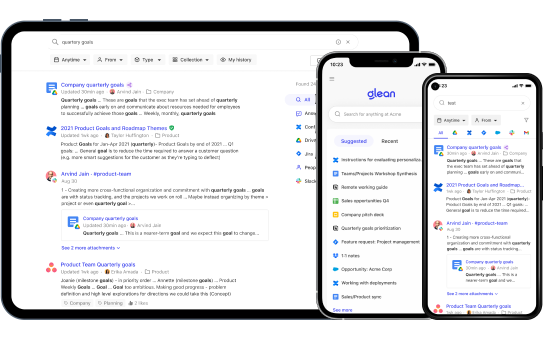
The Glean mobile apps give your teammates access to Glean Search and Glean Assistant from their iOS and Android devices. You can deploy the apps to managed devices and configure app protection policies to meet your organization's security requirements.
Prerequisites
Before deploying the Glean mobile apps, make sure you have:
- An active Glean tenant with SSO configured through your identity provider (for example, Okta or Microsoft Entra ID)
- For Intune App Protection: a Microsoft Intune environment with app protection policies configured
- The Glean app bundle ID:
com.glean.app
Microsoft Intune App Protection (MAM)
The Glean mobile apps for iOS and Android integrate with the Microsoft Intune App SDK, so you can apply Microsoft Intune App Protection Policies (MAM) to the Glean app without requiring full device enrollment (MDM). The integration also supports signing in through the Intune-managed Microsoft Edge browser, which is required for Conditional Access policies that use the Require app protection policy grant.
For the complete setup guide — including prerequisites, App Protection Policy support, Microsoft Edge sign-in, Conditional Access, data protection, and troubleshooting — see Configure Microsoft Intune MAM for the Glean mobile app.
Understand mobile sign-out
When a user signs out of the Glean iOS or Android app, the app clears the stored credentials on the device and sends a token revocation request to your Glean instance. Glean deletes the refresh token for that session, so the signed-out session can no longer obtain new access tokens. This reduces the risk if a device is lost, stolen, or shared.
Keep the following behavior in mind:
- Session scope — revocation covers only the session on that device. Sessions on other devices and in the browser stay signed in.
- Best-effort revocation — sign-out finishes immediately, even when the device is offline or the request fails. If the request doesn't reach Glean, the refresh token stays valid until it expires.
- Older installs — if the app has no record of the Glean instance for the stored token, sign-out clears credentials on the device only. The app stores that record the next time the user signs in or the app refreshes its token.
- No configuration — this behavior applies automatically to the current iOS and Android apps. There's no setting to enable in the Admin console.
Control mobile access
Glean doesn't currently offer an org-level toggle in the Admin console to turn off mobile app access. To manage mobile access:
- Block mobile sign-in: Configure your identity provider (for example, Okta or Microsoft Entra ID) or MDM solution to restrict access from mobile devices.
- Enforce data protection controls: Use Microsoft Intune App Protection Policies to manage restrictions such as copy and paste prevention or screenshot prevention on mobile devices.
For Intune sign-in errors (for example, "Error Code 2" or a failed redirect back to the Glean app), see the troubleshooting section in Configure Microsoft Intune MAM for the Glean mobile app.