Delete and restore agents
When an agent is deleted, Glean soft deletes it for 60 days before permanently removing it. During this window, an admin can restore the agent to its previous state. After 60 days, the agent is permanently deleted and cannot be recovered.
What happens when an agent is deleted
When a user deletes an agent, the following occurs:
- The agent is removed from the Agent Library, Assistant and Chat pickers, embedded surfaces, My agents, Shared with me, and Favorites. Users can no longer run the agent.
- The agent's permissions, favorites, schedules, and triggers are preserved so they can be reinstated if the agent is restored.
- Subscriptions and Slack/Teams deployment configurations are permanently removed and are not restored if the agent is later recovered.
- If the agent has subagents, those subagents are also soft deleted along with the parent agent.
Bulk delete agents
Workspace administrators can delete multiple inactive agents simultaneously from the Glean Admin console. This is useful for cleaning up stale or unused agents at scale.
Bulk deletion uses a soft delete behavior. Deleted agents are hidden from users immediately but can be restored by an admin within 60 days before they are permanently removed.
Prerequisites to bulk delete
- Administrator access to the Glean Admin console.
- A CSV file containing a valid
Agent IDcolumn.
Download the inactive agents report (optional)
To identify which agents are unused in your organization, download an inactivity report.
-
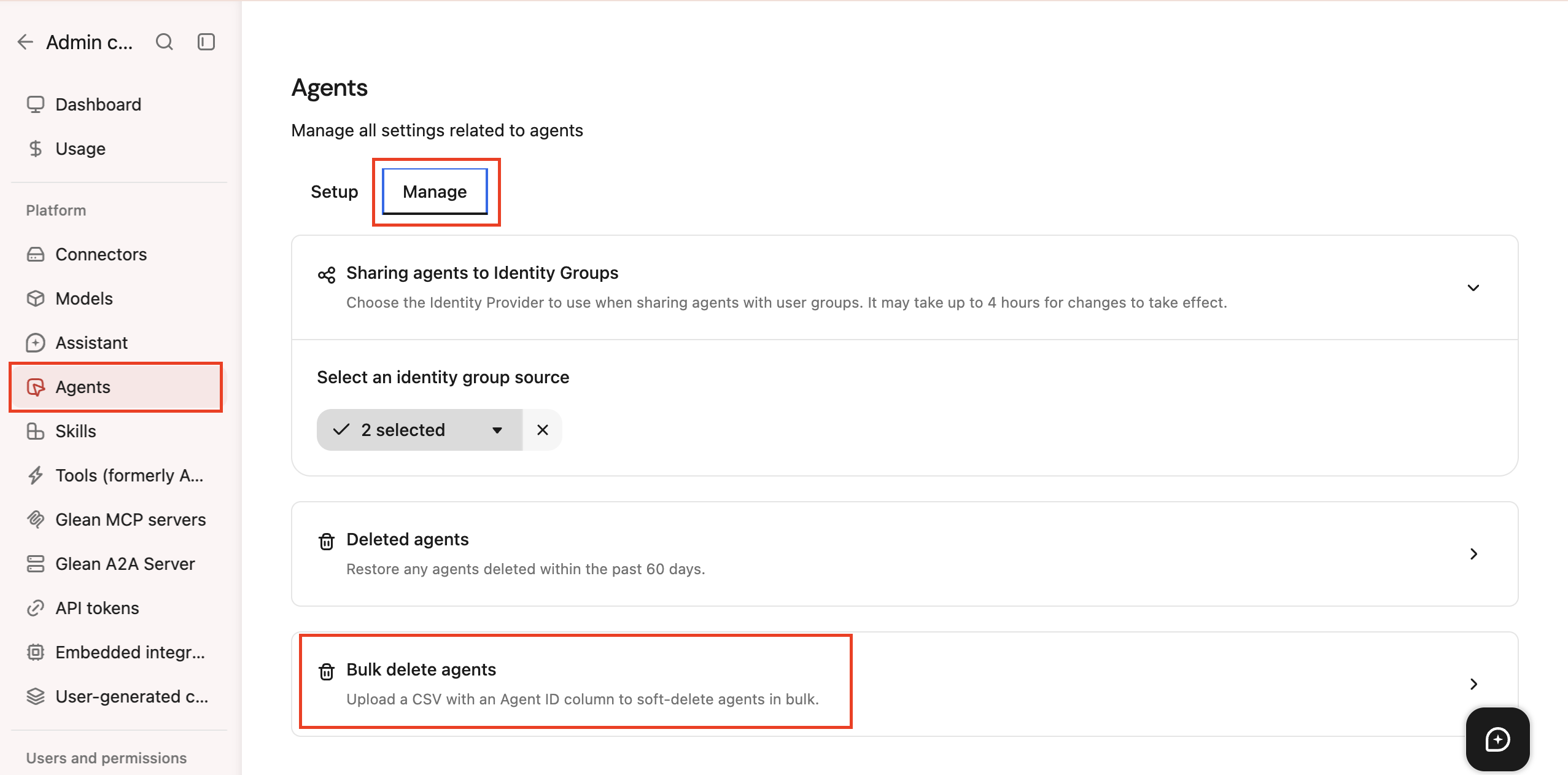
Navigate to the Admin console → Agents → Manage.
-
Locate the Bulk delete agents section.
-
Next to Inactive for, select a timeframe from the dropdown menu:
- 30 days
- 60 days
- 90 days
-
Click Download report.
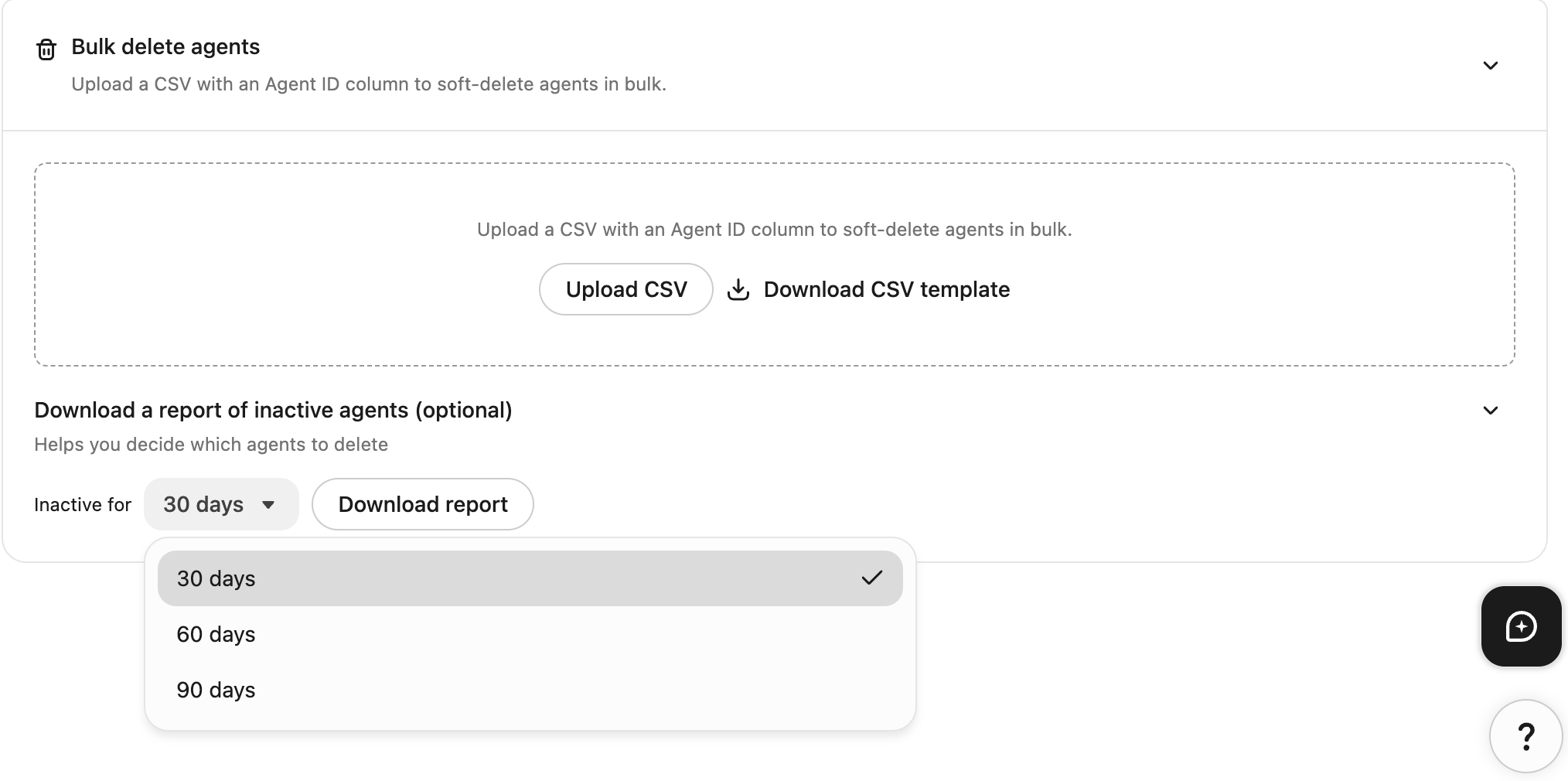
This report lists agents with zero runs during the selected timeframe so you can review them before taking action.
The report tracks run activity, not creation or edit recency. Because of this, recently created or modified agents may still appear on the list. Always review your organization's retention policy before deleting any agent.
The report includes these columns:
| Column | Description |
|---|---|
Agent ID | The unique identifier for the agent. Required for bulk deletion. |
Agent | The display name of the agent. |
Creator email | The email address of the creator or owner (if available). |
Last edited by email | The email address of the person who last modified the agent (if available). |
Last edited at | The UTC timestamp of the most recent edit. This reflects edits, not usage. |
Created at (UTC) | The UTC timestamp when the agent was created. |
The report does not include a Last used at or last-run timestamp. Do not use Last edited at as a proxy for actual agent usage.
To safely perform bulk deletion:
-
Review the candidate list: Examine Last edited at and Created at (UTC) to identify agents that require further review or should be preserved.
-
Filter the CSV: Remove any rows for agents your organization wants to keep.
-
Verify remaining rows: Ensure all remaining agents are intended for deletion.
-
Upload the filtered CSV: Upload your updated file. Glean processes deletion using only the Agent ID column; all other columns are ignored during the import process.
Upload the CSV to bulk delete
CSV file requirements
If you choose to create or edit your own CSV file instead of using the downloaded report, ensure it meets these parameters:
- The file must be strictly in
.csvformat. - The file must include an
Agent IDcolumn header. If this column is missing, the upload will fail. - Blank rows are skipped automatically.
- Any extra data columns are ignored.
Deletion steps
- In the Admin console → Agents → Manage section, click Bulk delete agents.
- Click Upload CSV and select your file.
- Review the summary of agents to be removed, then click Confirm delete.
What happens when agents are bulk deleted
Bulk deleted agents follow the standard deletion lifecycle:
- They are removed immediately from the Agent Library and all user-facing surfaces.
- Users can no longer run or trigger these agents.
- The agents remain in a soft-deleted state for 60 days. After 60 days, they are permanently purged from the system.
To recover an agent before the 60 day window closes, see Restore a deleted agent.
Restore a deleted agent
Admins can restore any agent that was deleted within the past 60 days.
Prerequisites to restore an agent
- You must be an Admin. Agent Moderators cannot restore deleted agents.
- Navigate to the Admin console → Agents → Manage.
- Select Deleted agents.
- Search for the agent by name if needed.
- Select the Restore action next to the agent you want to recover.
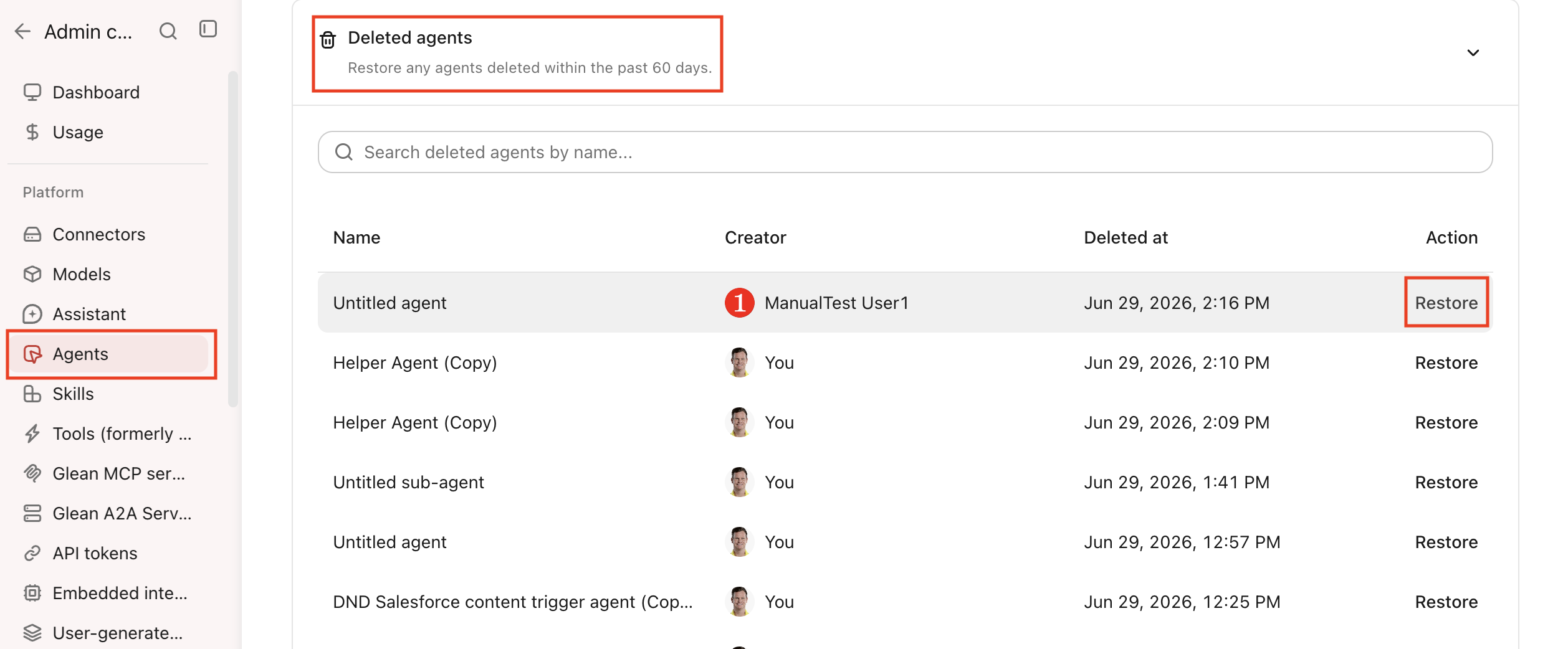
When a parent agent is restored, any soft-deleted subagents referenced by that parent are also restored automatically.
Subscriptions, Slack and Teams deployment configurations are not restored and you will need to re-deploy the agent to those channels manually.
Permanent deletion
Soft-deleted agents are permanently removed after 60 days. This cleanup runs automatically once every 24 hours. After permanent deletion, the agent and all associated data, including permissions and favorites, are fully removed and cannot be recovered.