Review and publish changes to shared agents
If your organization uses shared agents, Governed Agent Publishing lets admins control when publishing changes requires approval. This lets builders stage changes for review before those changes go live to end users. When approval is required, builders enter a change message, reviewers can see what changed, and the currently published version stays live until a moderator publishes the update.
The approval and default publishing settings on this page apply only to users without the Agent Creator role. Users with the explicit Agent Creator role can publish any agent they can edit, including private, shared, and company-wide agents. Admin and moderator permissions are unchanged.
Choose when approval is required
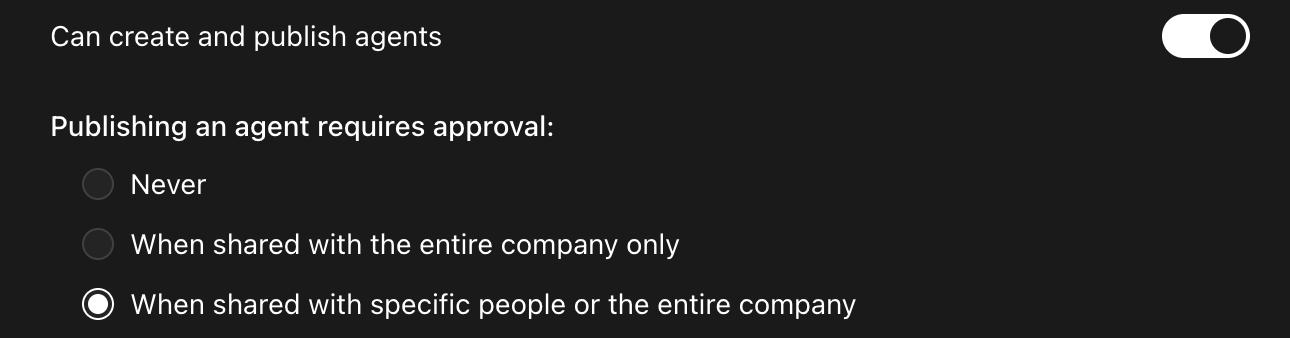
Admins can configure one of these approval settings in the Admin console → User roles → Default member permission:
- Never: publishing doesn't require approval. Any user with edit access can publish changes directly.
- When shared with the entire company only: publishing requires approval only when the agent is shared with the entire company.
- When shared with specific people or the entire company: publishing requires approval for any shared agent, including agents shared with specific people.
Select Company wide to require approval only for agents shared with your entire organization. Select the broader setting to also require approval when agents are shared with specific people.
How publishing works when approval is required
When an agent is set up to require approval, changes move through three states before they reach end users:
- Draft: your in-progress working version. Draft changes are autosaved while you edit.
- Ready to publish: a staged version submitted for review. When you request to publish, you enter a message that describes the change. This state applies only when approval is required.
- Published: the version that end users currently see.
A version that's ready to publish doesn't go live until a moderator publishes it. When approval isn't required, users with publish permission move a draft straight to published.
Request approval to publish
If you don't have direct publishing permission and approval is required, you can request review from a moderator:
- Open the shared agent in Agent builder.
- Make your changes.
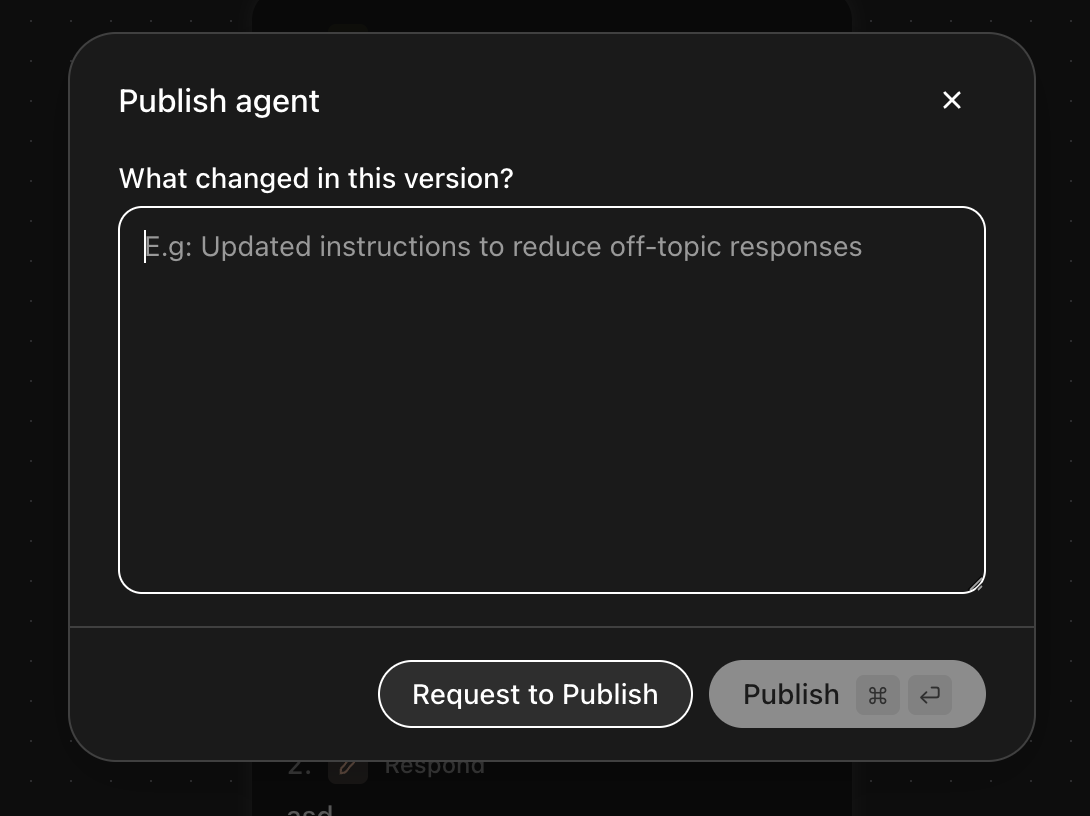
- Click Publish.
- Enter a short message that explains what changed.
- Click Request to publish.

Publish a staged version
Users with direct publishing permissions, including those with the Agent Creator role, can publish changes directly across private, shared, or company-wide agents. For agents that require approval, users without direct publishing permissions can submit a version for moderator review.
After you submit the request:
- The agent moves to the Ready to publish state.
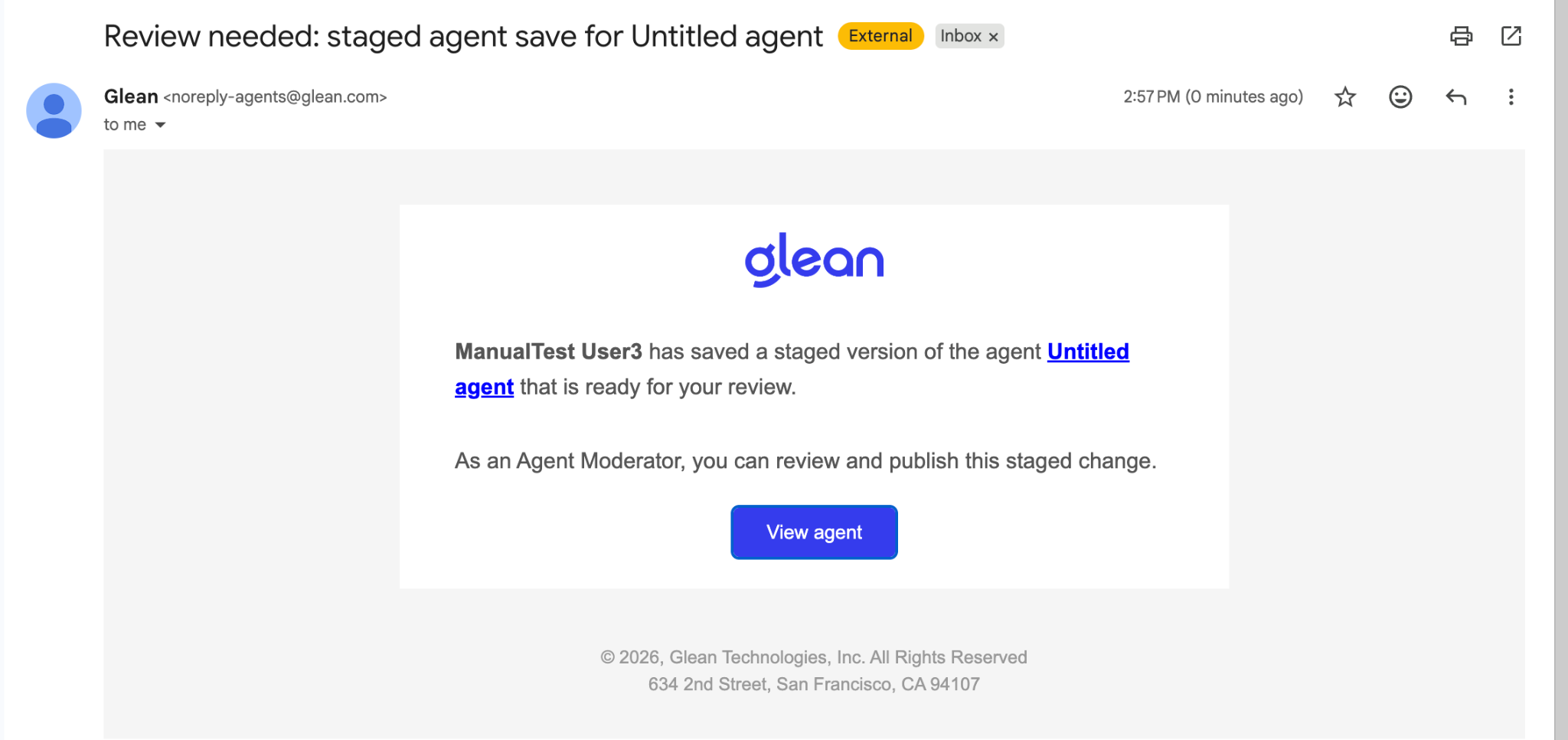
- Glean sends an email to the agent moderator letting them know a version is ready for review.
- The moderator opens the agent from the email, reviews the change and its message, and publishes it.
- Once the moderator publishes, the change goes live and end users see the updated agent.
The staged version keeps the message entered when it was submitted, so reviewers understand what changed before they publish.
See also
- Sharing and permissions: explains who can share agents, how sharing works, and what access levels collaborators can have
- Agent library: shows how users find and use shared agents in the agent library
- Agents draft and version: covers the basic draft and publish model and version history for all agents