Manage open models by region
If your organization uses the Glean Universal Model Key, you control open-model availability by the region where the model creator is based instead of one model at a time. Each region has its own switch, so a single decision covers the open models Glean supports today and the ones it adds later.
Open models are models with openly published weights, such as GLM 5.2 and Nemotron 3 Ultra. Glean serves them through its LLM providers under zero data retention agreements, and no data goes to the model creator.
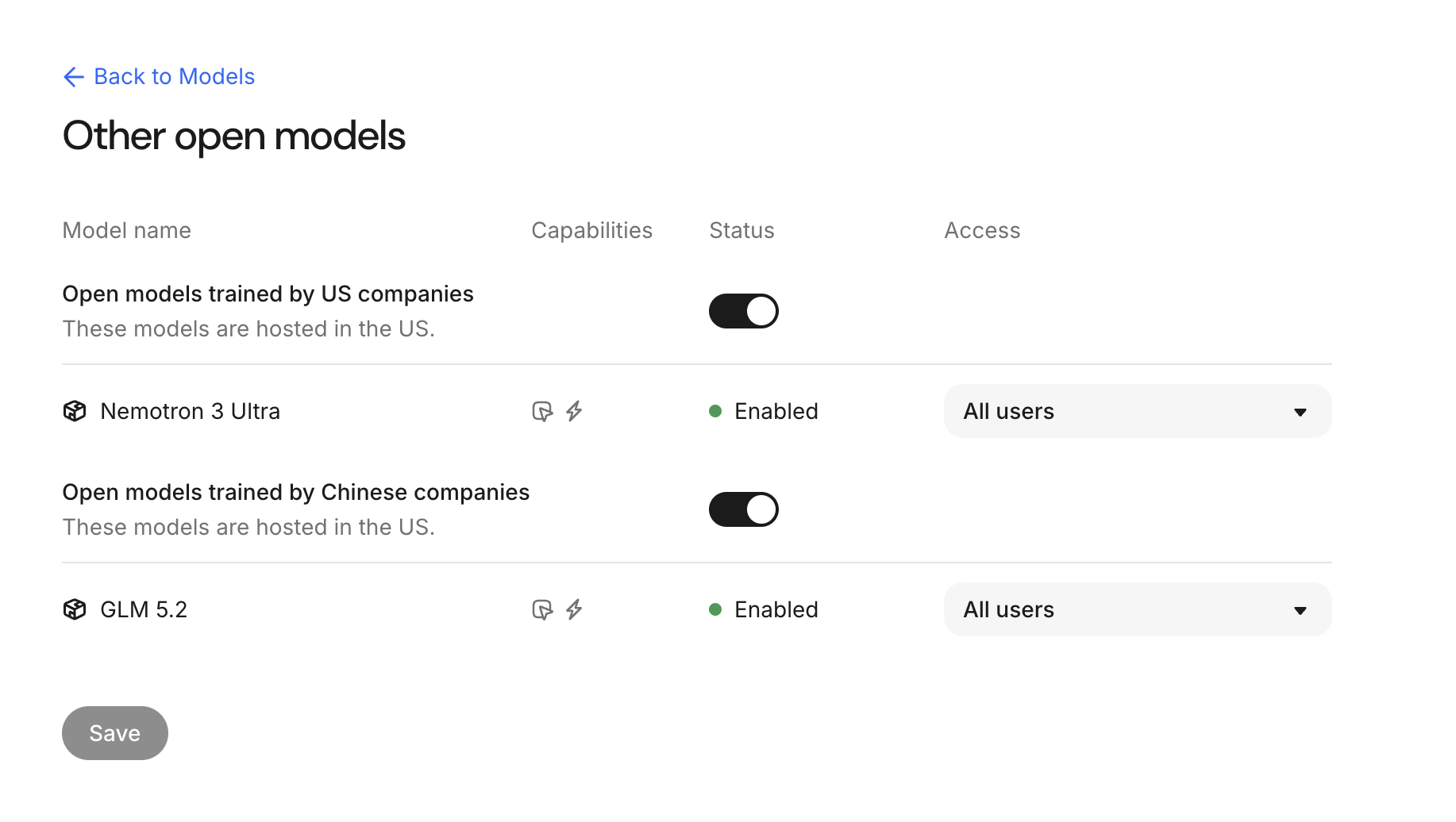
The Other open models page with creator-region switches and per-model access controls
How region controls work
Glean groups open models into three sections, each with one switch:
- Open models trained by US companies
- Open models trained by European companies
- Open models trained by Chinese companies
A few things follow from this design:
- The switch controls every open model in that section. Individual model rows show status only, so you don't turn open models on or off one at a time.
- Grouping reflects where the model creator is based, not where the model runs. The page notes that these models are hosted in the US, regardless of the creator's region.
- When Glean adds an open model from a region you've turned off, that model stays off for your deployment. You don't need to review each new model as it launches.
- Sections appear only when your deployment has open models from that region.
Open-model region controls apply to Glean Universal Model Key deployments. On Customer Key (BYOK), you configure models per hosting provider instead. See Configure LLMs in the Model Hub.
Turn open models on or off for a region
Open the Other open models page
Go to Admin console → Models, find the Other open models section, then click Manage.
Set the switch for each region
Turn the switch on to make that region's open models available across Glean, or off to make them unavailable.
Save your changes
Click Save.
Turning a region off makes its models unavailable across Glean, including Glean Assistant and Glean Agents, the same way excluding an individual model does. See Exclude or restrict models.
Restrict open models by department or group
Region switches don't change per-model access restrictions. The Other open models page keeps the access column for each model, so you can still limit an open model to specific departments or groups while the region stays on. See Restrict model access by department.
Access restrictions layer on top of the region switch. A model is available only when its region is on and the user is in an allowed department or group.
See also
- To configure model availability and choose models for workflows, see Configure LLMs in the Model Hub.
- To exclude individual models or restrict them to departments, see Exclude or restrict models.
- For the list of supported models and availability by hosting environment, see Supported LLMs.