Glean in Gemini chat
This admin guide covers connecting Glean to Google Gemini Enterprise using the Glean Model Context Protocol (MCP) server, so end users can ask work questions in Gemini and get answers grounded in company knowledge from Glean.
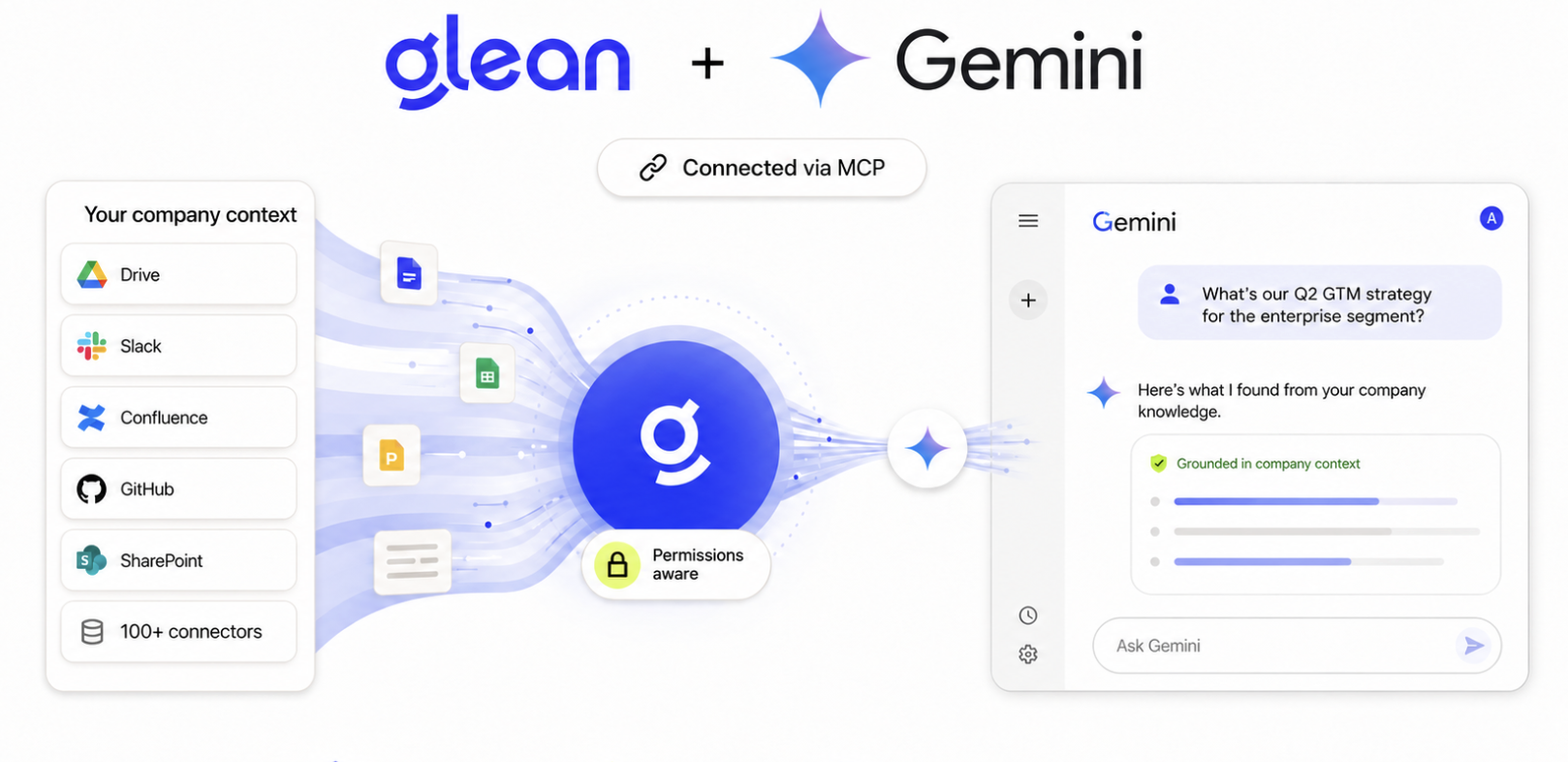
Glean in Gemini connects your organization's permission-aware enterprise knowledge to Gemini Enterprise through a custom MCP server data store. Use Glean's dedicated Gemini Tools server for this connection. Once connected, Gemini can search, read, and synthesize across the systems Glean already indexes.
The Gemini Tools server can search and synthesize company knowledge without changing records in connected apps. Its memory tool can add, update, or delete saved Glean memory when memory writes are enabled. If you add write tools to the server, Gemini can also surface actions that change connected-app records.
What users get
- Ask Gemini questions that need company context and get answers grounded in Glean.
- Receive answers with citations to the underlying internal sources.
- Use the Glean tools enabled on the selected MCP server path as Gemini actions.
How it works
Glean exposes a Model Context Protocol (MCP) server. You register that server in Gemini Enterprise as a custom MCP server data connector. When a user chats with Gemini, Gemini calls Glean's MCP server, authenticates the user via OAuth, and uses the returned context to answer.
Gemini chat ──▶ Custom MCP Server connector ──▶ Glean MCP server
                  (OAuth per user)                 (permission-aware)
Components
- Gemini Tools server: Is configured with seven Glean tools at
/mcp/managed/gemini:search,read_document,code_search,user_activity,memory,memory_schema, andemployee_search. An administrator can add tools to the server. - Glean OAuth client: Lets Gemini authenticate each user to Glean, so results are always returned with that user's permissions enforced.
- Gemini data store and app: Registers the Glean server inside Gemini Enterprise and surfaces it to end users through a branded web app.
Core capabilities
| Capability | What it does | Visibility |
|---|---|---|
| Grounded answers | Gemini answers work questions using company knowledge retrieved from Glean. | Each answer is generated for the asking user and reflects their Glean permissions. |
| Citations | Answers include links to the underlying internal sources in Glean-connected systems. | Citations are personalized — each user only sees sources they can already access. |
| Tool invocation | Glean tools enabled on the Gemini server are exposed as Gemini actions (for example, search, read_document, code_search, employee_search, user_activity, and memory). | Tools run on behalf of the signed-in user and respect Glean permissions. |
| Permission-aware authentication | Each user authorizes Glean via OAuth from inside Gemini. | Each user authorizes individually; every response respects that user's Glean permissions. |
Get started
Set up Glean in Gemini chat
Admins: gather prerequisites, prepare Glean, and create the custom MCP server data store in Gemini Enterprise.
Use Glean in Gemini chat
End users: authorize Glean and ask work questions in Gemini chat. Share this link with your users once setup is complete.
If your organization uses Google Cloud Agent Registry, follow the Agent Registry setup to register Gemini Tools and import it through Agent Gateway.
Who is involved
This setup involves two admin personas and one end-user persona.
| Persona | Responsibilities |
|---|---|
| Glean admin | Copy the Gemini Tools server URL, confirm the tools you want to use are available, and create the Glean OAuth client. |
| Google Cloud or Gemini Enterprise admin | Create the custom MCP server data store, enable actions, connect the data store to a Gemini app, and publish the app. |
| End user | Authorize Glean the first time they use the app, then ask questions in Gemini chat. |
Requirements
- Glean admin access — to locate the MCP server URL and create an OAuth client.
- Google Cloud or Gemini Enterprise admin access — to create the data store, enable tools, and publish the app.
- A Google Cloud project — Gemini Enterprise resources are created inside a project you own.
- Your Glean backend URL (
<tenant_id>-be.glean.com) — used to build the server, authorization, and token URLs. Find it in About Glean under Server instance (QE).
For the full list, including details you will collect during setup, see Prerequisites.