Glean in Slack RTS
Glean in Slack (also known as Gleanbot) integrates enterprise search and knowledge directly into Slack. While Slack is a rich source of information, it often leads to chaos where users spend time manually answering questions. Gleanbot addresses this problem by ensuring knowledge is instantly discoverable and accessible. Glean is now an official Slack Marketplace app.
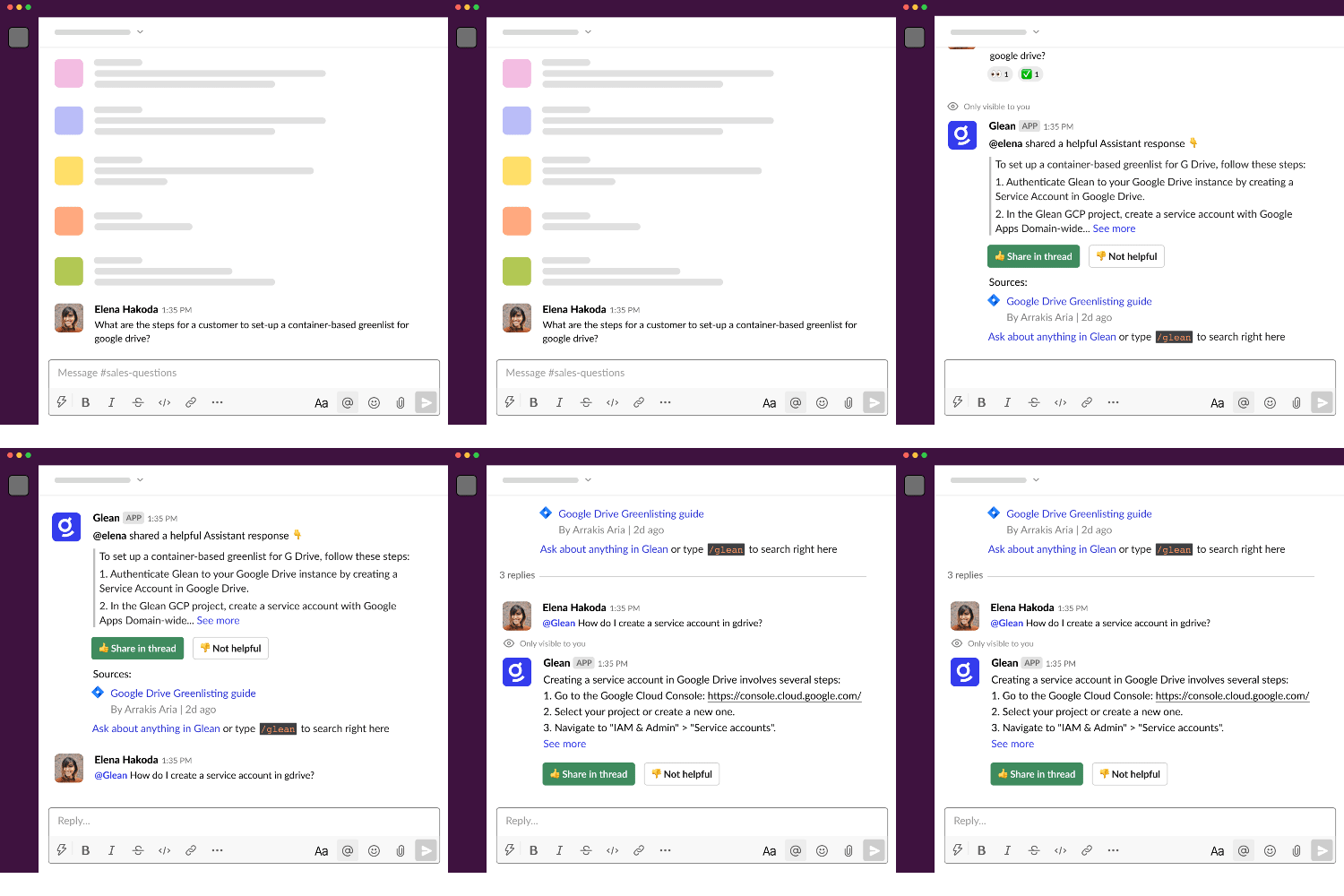
The older version of Glean in Slack, which surfaced results based on matching Answers, was deprecated in February 2024. All current functionality uses AI so it's possible that all chat results are not fully accurate.
Core capabilities
When your organization uses Slack Real Time Search (RTS), Glean in Slack (Gleanbot) supports the following core functions:
| Function | Action / usage | Visibility |
|---|---|---|
| Automated answering | Responds when a question is detected in a channel, or when someone mentions @Glean. | Answers are shown privately to the person who asked the question and are personalized by permissions. |
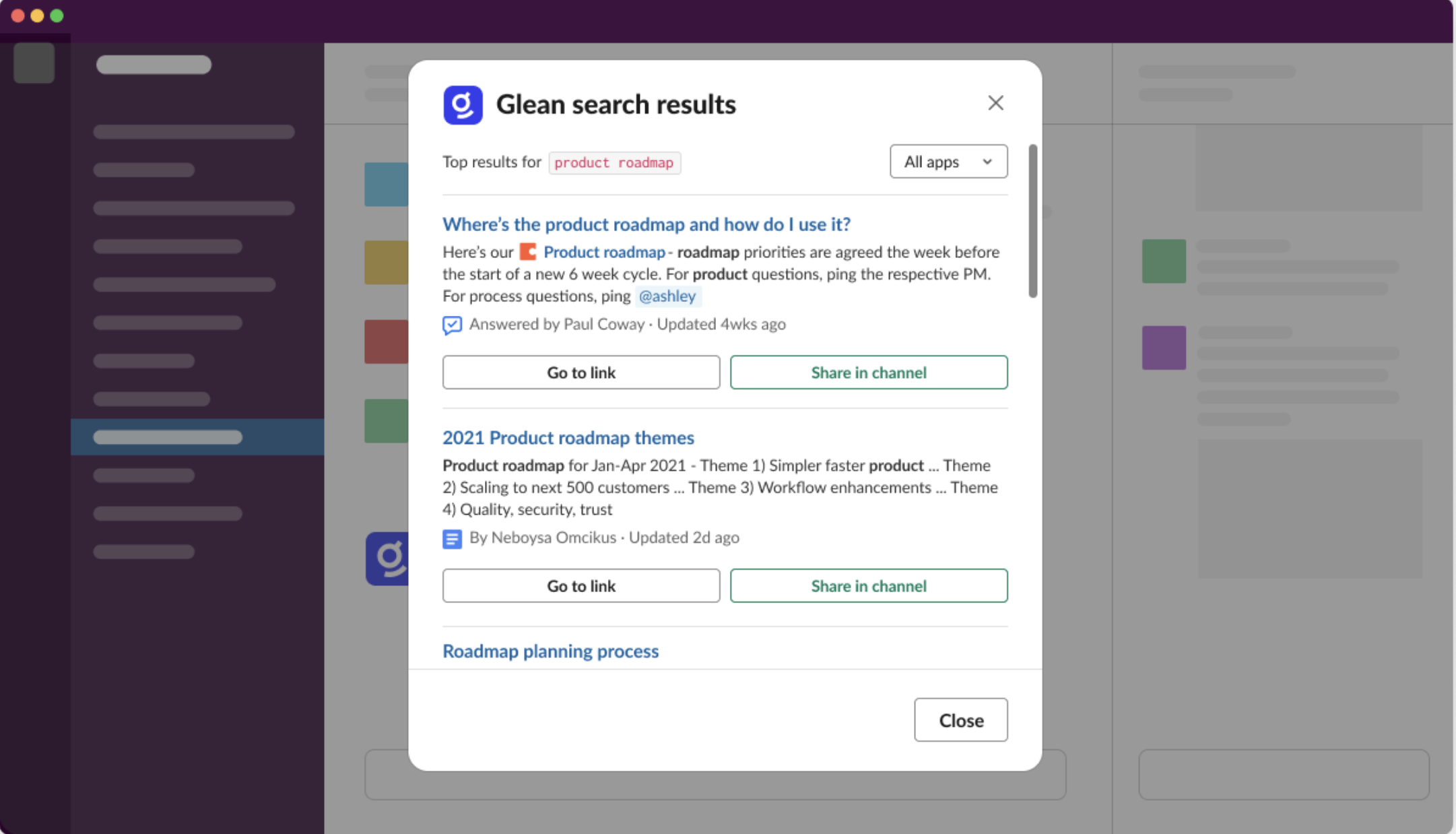
| Unified search | Lets users search Glean directly from any channel using the /glean command. | Results are visible only to the person who ran /glean, with an option to share back to the channel. |
How to set up Glean in Slack with RTS
Gleanbot is enabled through the Slack connectors in the Admin console. This page focuses on how Gleanbot behaves when your tenant uses Slack Real Time Search (RTS); it does not repeat connector setup steps.
For installation and upgrade instructions, refer to the connector documentation:
Once your Slack connectors are configured, use the sections below to understand how Gleanbot behaves in Slack and how your team can interact with it when RTS is enabled.
Use Glean in Slack
With Glean in Slack, you can do the following:
- Search with /glean
- Enable Gleanbot to respond in channels
Search with /glean
When Slack is set up, a teammate can type /glean followed by their search query in any channel. Glean shows search results across any data source so users can find what they're looking for without leaving Slack.
Enable Gleanbot to respond in channels
When a teammate asks a question in a Slack channel, Glean can jump in with a helpful answer. It can respond either automatically when a question is detected, or when someone mentions @Glean in a message.
For more information, see Enable Gleanbot to respond in Slack channels.
Cost considerations
Glean in Slack uses the Glean Assistant and generative AI.
- If you are using Glean's Azure OpenAI key, there is no additional cost.
- If you are using your own key, turning on automatic answers in channels incurs cost. Work with Glean sales or customer success to get an estimated range of the cost, depending on the number of channels you enable.
Upgrade Glean in Slack to Slack Real-Time Search (RTS)
This section explains what you might see during and after the Slack RTS upgrade. For full admin setup steps, see the Slack upgrade guides.
What you might experience during an upgrade
While your admin is upgrading Glean to Real-Time Search (RTS), you may notice a brief period (typically 20–30 minutes) where the experience looks a bit different:
- Commands like
/gleanor mentions of@Gleanmay not respond immediately in some channels. - In a few active threads, you might briefly see responses from two different Glean apps as the transition completes.
- Automated messages or Slack Actions from Glean or Agents may fail until the upgrade is finished.
These effects are temporary and will resolve automatically once the backend sync is complete.
Which Glean app should you use after the upgrade?
Once the upgrade is complete, you should interact with the new Glean app:
- Primary App (White Icon): Use the Glean app with the white icon for all
/gleancommands and@Gleanmentions. This is the RTS-powered app that handles your searches and questions. - Background App (Enterprise Graph): You may still see an app named Enterprise Graph in your Slack sidebar or mentioned in older emails. This app remains active in the background to ensure your search results stay accurate and ranked correctly, but you do not need to message or interact with it directly.