Enable and configure daily digest
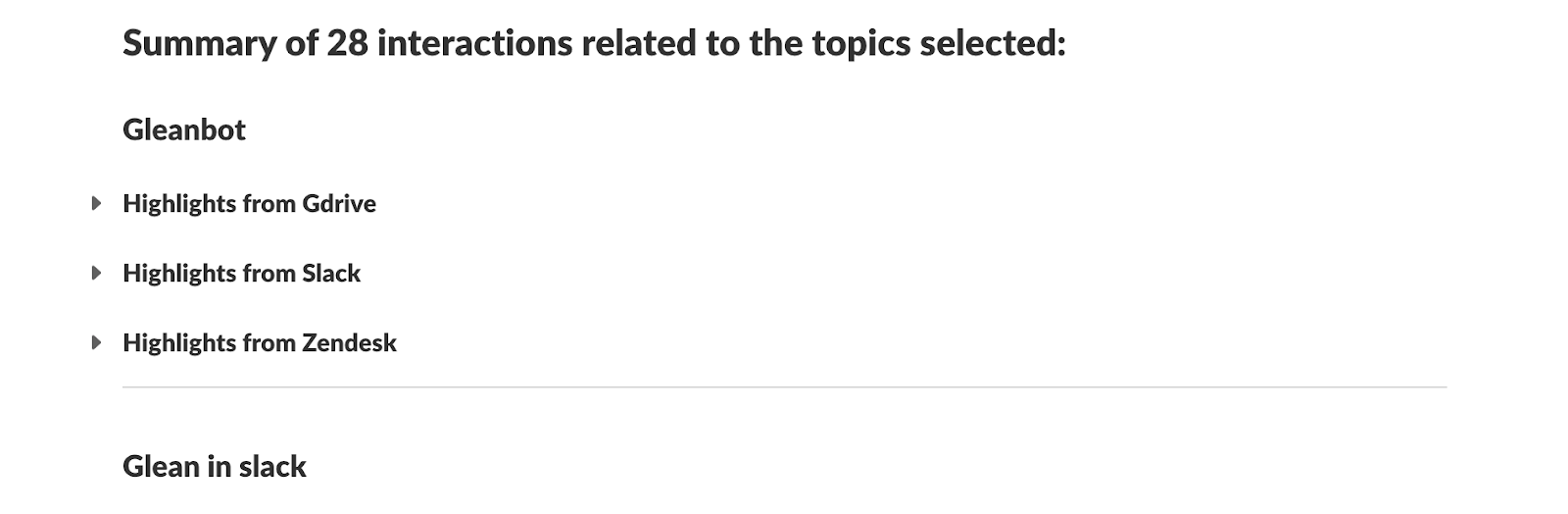
The Glean daily digest delivers a personalized summary of relevant information from selected Slack channels and topics directly to users' Slack DMs.
important
Daily digest is not supported for Slack RTS-powered deployments.
Key features
- Subscribe to channels, keywords, or topics — such as competitor-news or product-launches — to receive targeted daily digests in your Slack DM.
- Users can add up to 10 topics and 100 Slack channels.
- With topic subscriptions, the digest aggregates updates from all enterprise connectors connected to Glean — not just Slack. This includes documents, emails, tickets, and meetings.
- Admins can deliver digests in Slack Canvas for a richer reading experience. See Setting up Slack Canvas.
- Users can configure their preferred delivery time.
Prerequisites
- You must have a Glean Assistant license to use the daily digest feature.
- You must have admin privileges to enable daily digest for your organization.
- The Glean Slack connector must be set up and healthy.
Admin setup
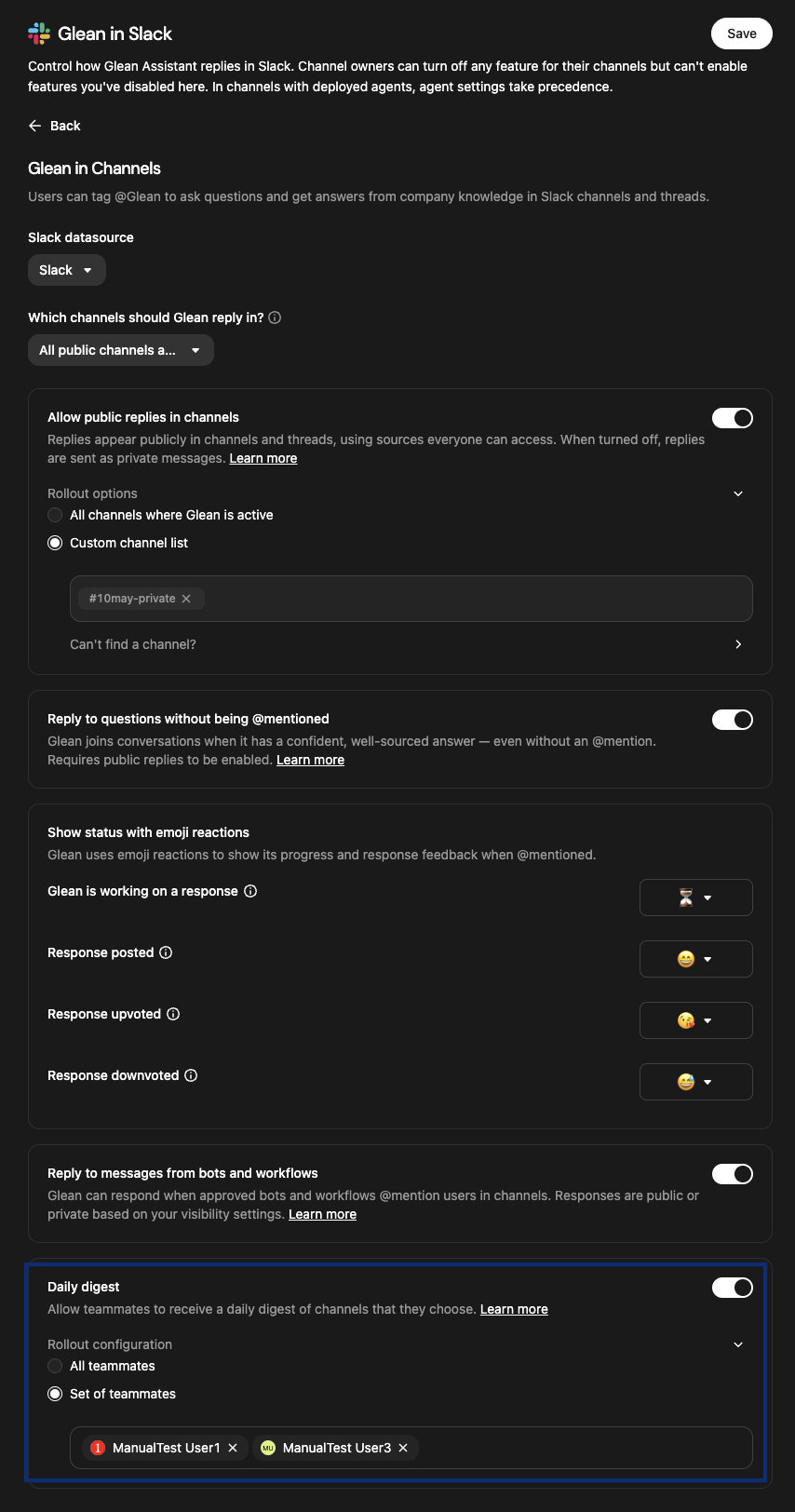
- In the Glean Admin console, navigate to Platform → Embedded integrations.
- Select Glean in Slack.
note
This option only appears after the Slack connector has been configured. For setup instructions, see Set up Slack connectors.
- Under Slack connector, select your Slack connector. This dropdown lists all Slack sources where the Glean in Slack tab is configured.
- Scroll to the Daily digest section and toggle the switch to On.
- Under Rollout configuration, choose which teammates can receive the
digest:
- All teammates: Enables the feature for everyone in the organization.
- Set of teammates: Limits the feature to specific individuals. Add the names of the teammates you wish to include.
- Click Save at the top right of the page to apply your changes.
(Optional) Setting up Slack Canvas
You can set up Slack Canvas to deliver digest updates in a formatted Slack Canvas document.
Prerequisite: Admin access to the Slack app.
Steps:
- Add the following scopes in
Slack API → Your App → OAuth & Permissions → Bot Token Scopes:
canvases:readcanvases:write
- After adding scopes, reinstall the Slack app to your workspace so the new permissions take effect.
- If Slack shows a scope approval pending error, wait for Slack's approval before testing Canvas delivery.
User setup
After the admin setup is complete, users configure their digest preferences. For details, see the daily digest user guide.