Upgrade to Slack RTS
Slack Real-Time Search (RTS) is the required Slack connector for all Glean customers. Glean discontinued use of Slack's Discovery APIs on March 3, 2026 and now supports Slack exclusively through a Real-Time Search-based integration. Glean is an official Slack Marketplace app.
All Glean customers who connect Slack must deploy Slack Real Time Search (RTS). Customers still on legacy connectors (Discovery API or custom apps) must migrate to maintain Slack search and Glean in Slack functionality. Failure to migrate may result in degraded or lost Slack search capabilities.
How Slack RTS works
The Slack RTS connector is a federated connector — it does not crawl or index Slack message content. Instead, Glean fetches Slack messages live at query time via Slack's RTS API. Message bodies are processed in memory only and are not written into a Glean index.
The full Slack integration is a hybrid connector that requires both connectors configured in order:
-
Slack connector: Provides engagement signals and supports proactive answers in channels where the bot isn't present.
-
Slack RTS connector: Fetches Slack messages live at query time for real-time, permission-aware search results.
Together, these two connectors blend real-time results from Slack's RTS API with signals from a customer-owned Slack app to give users a seamless, up-to-date Slack search experience.
You may notice that the Slack RTS connector shows only a small number of records being "synced." This is expected. Glean only crawls identity and metadata (users, channels, memberships) — not message content. Message bodies are retrieved live at query time.
Features available with Slack RTS
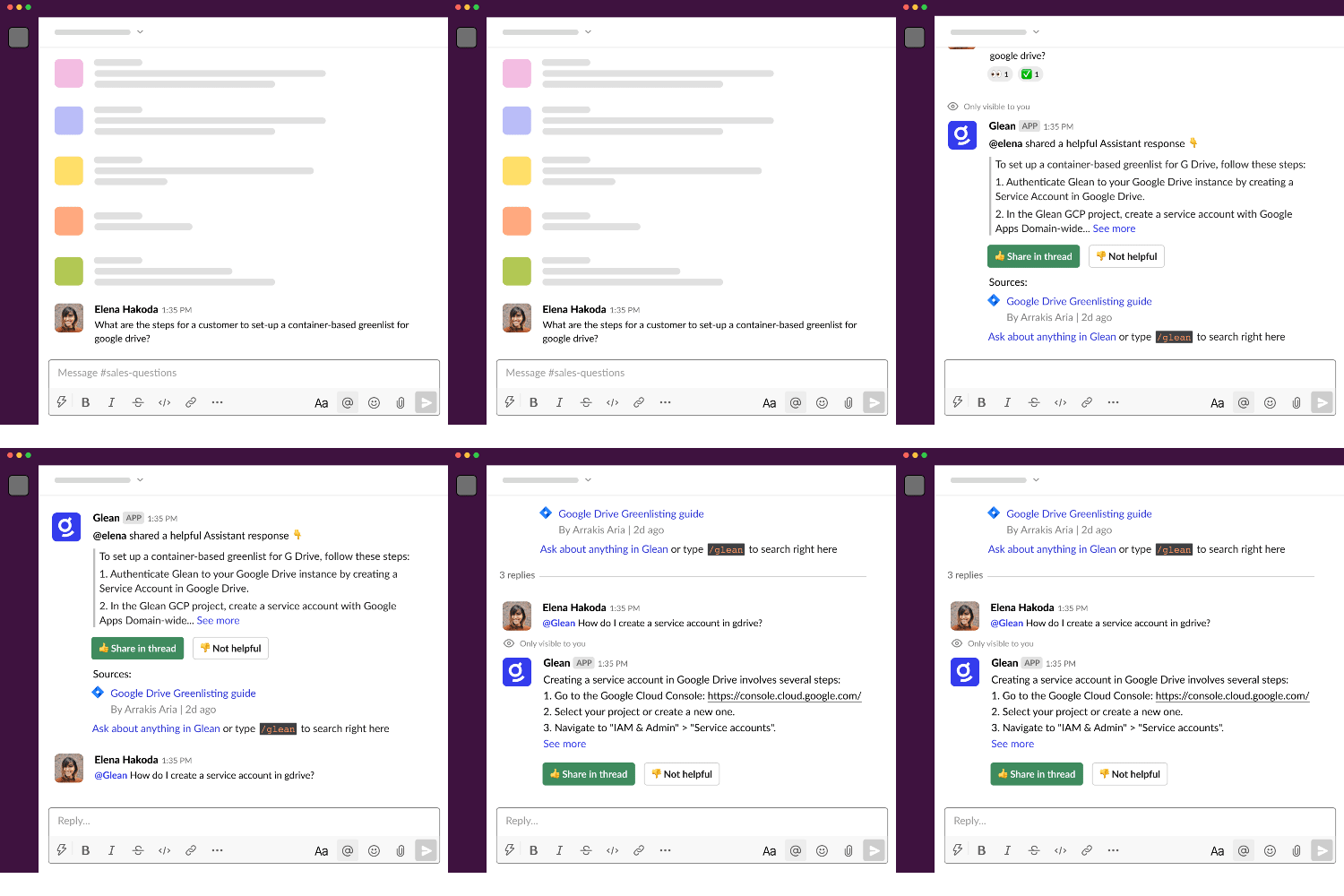
When your organization uses Slack RTS, Glean in Slack (Gleanbot) supports the following core functions:
| Function | Action / usage | Visibility |
|---|---|---|
| Automated answering | Responds when a question is detected in a channel, or when someone mentions @Glean. | Answers are shown privately to the person who asked the question and are personalized by permissions. |
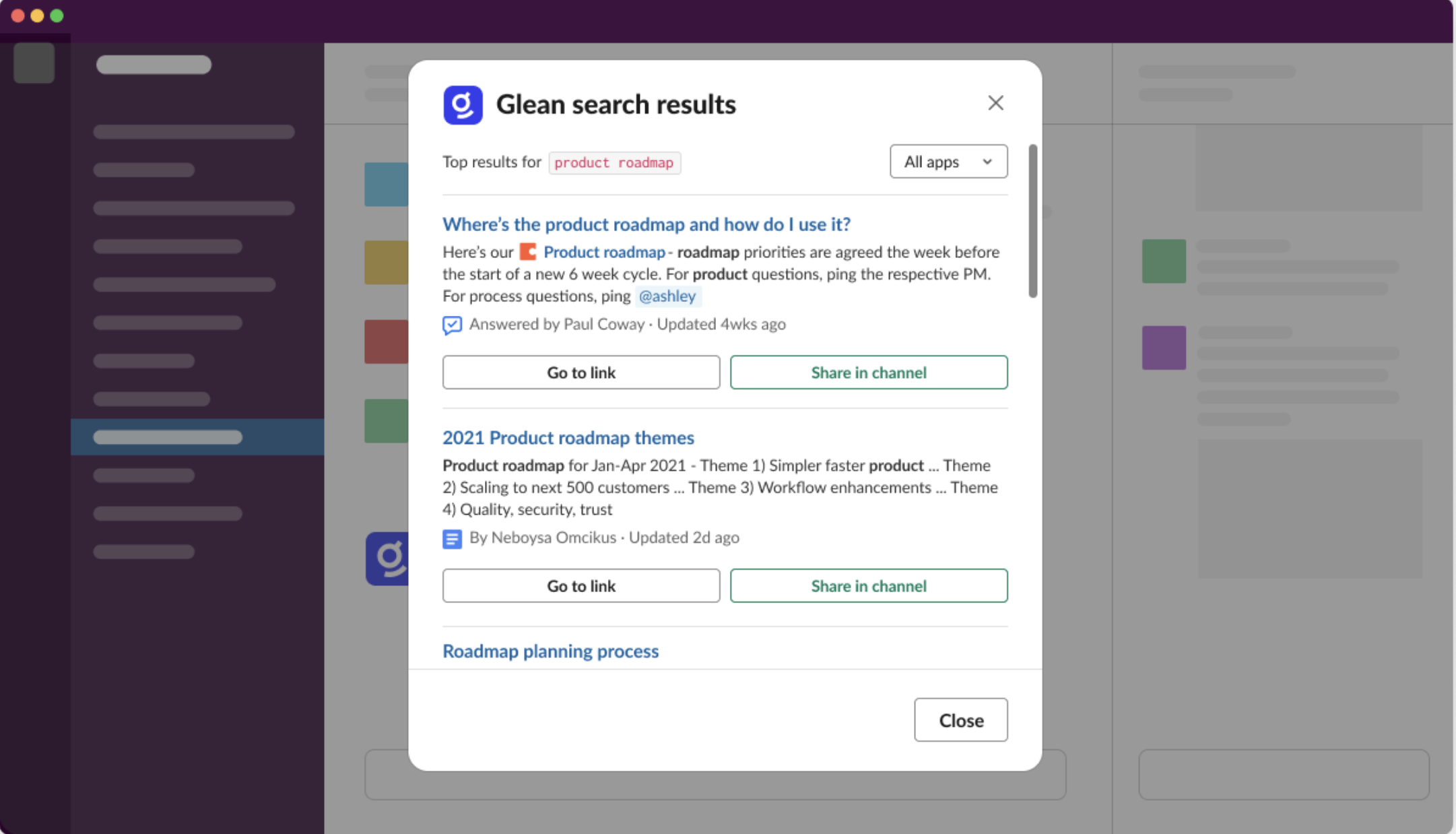
| Unified search | Lets users search Glean directly from any channel using the /glean command. | Results are visible only to the person who ran /glean, with an option to share back to the channel. |
The following Glean in Slack features are not available with Slack RTS:
- Daily digest — delivery is not supported for RTS-powered deployments
What to expect during the upgrade
This section explains what you might see during and after the Slack RTS upgrade. For full admin setup steps, see the Slack upgrade guides.
While your admin is upgrading Glean to Slack RTS, you may notice a brief period (typically 20–30 minutes) where the experience looks different:
- Commands like
/gleanor mentions of@Gleanmay not respond immediately in some channels. - In a few active threads, you might briefly see responses from two different Glean apps as the transition completes.
- Automated messages or Slack Actions from Glean Assistant or Agents may fail until the upgrade is finished.
These effects are temporary and resolve automatically once the backend sync is complete.
There is no way to partially upgrade Glean in Slack. Once you complete the Slack RTS setup, the Gleanbot migration job runs for your entire workspace, even if Slack RTS search is only visible to a test group.
Which Glean app to use after the upgrade
Once the upgrade is complete, interact with the new Glean app:
- Primary app (Glean) — use the app named Glean for
all
/gleancommands and@Gleanmentions. This is the RTS-powered app that handles your searches and questions. - Background App (Enterprise Graph) — you may still see an app named Enterprise Graph in your Slack sidebar or mentioned in older messages. This app remains active in the background to ensure search results stay accurate and ranked correctly, but you do not need to message or interact with it directly.
After the upgrade, instruct your team to use the Glean app for all interactions. The background Enterprise Graph app continues to work automatically without user intervention.
End-user authorization
Each user must individually authorize the Glean Slack app to see full, permission-aware results.
- Before authorization, Glean shows only limited content such as public channels.
- After authorization, users see messages from public channels, their private channels, and their direct or group messages.
- Users who haven't completed the required Slack authorizations will see prompts to complete authorization in both Glean and Slack, including a non-dismissible banner on the Glean search and home pages and a private Slack message when they interact with Gleanbot.
Known limitations
- Daily digest is not supported for RTS-powered deployments.
- Email-to-channel messages are not supported. Messages delivered to Slack channels via Slack's Email app ("Email to channel") are not surfaced by the RTS connector. Only messages sent directly by users are returned.
- Search quality and latency depend on Slack's RTS API behavior and rate limits. Glean adds ranking and cross-app context but cannot override results returned by Slack's API.
Upgrade process
The RTS upgrade is handled through the Slack connector configuration. For detailed upgrade instructions, refer to:
- Identify your connector and existing setup: determine your current configuration before upgrading
- Slack RTS connector setup — full RTS connector setup steps
- Gleanbot behavior during upgrade — what happens to the bot during the transition
- Slack connector changes: Gleanbot impacts and FAQ — common questions about connector changes
Cost considerations
Glean in Slack uses Glean and generative AI.
- If you are using Glean's Azure OpenAI key, there is no additional cost.
- If you are using your own key, turning on automatic answers in channels incurs cost. Work with Glean sales or customer success to get an estimated range of the cost, depending on the number of channels you enable.