Glean plug-in for coding hosts
The Glean plug-in gives Cursor, Claude Code, and Codex users access to Glean Skills and tools. It discovers eligible skills and tools dynamically and runs them through Glean's governed gateway. Installation differs by host, so use the host-specific deployment guide for the current setup path.
Choose a task
Deploy in Cursor
Prepare Glean access and validate the per-user Cursor installation before rollout.
Deploy in Claude Code
Add the marketplace and plug-in to a repository.
Deploy in Codex
Prepare Glean and validate the per-user Codex installation before rollout.
Manage access and security
Control tool and Skills access, approvals, and monitoring.
Troubleshoot deployment
Resolve marketplace, authentication, permission, and tool availability issues.
Use the Glean plug-in
Share installation, authentication, and usage guidance with users.
Supported hosts
- Cursor 3.8.11 or later
- Claude Code
- Codex
Claude Cowork and GitHub Copilot aren't supported.
Decide whether the plug-in fits
The plug-in gives users access to Glean tools across the 300+ applications Glean supports, along with your organization's Skills, through a single installation. The alternative is curating a standard Glean MCP server for each team or use case.
Routing requests through Glean keeps:
- Access permission-aware, so users can only search, read, and act on content they can already access in Glean
- Administration centralized in Glean instead of separate configurations for each host or team
- Write-action confirmation requirements in effect regardless of the host
The plug-in is a good fit when your users work in a supported host and need access to many Glean tools and Skills. It isn't optimized for a small, controlled subset of connector tools. For that use case, configure a standard Glean MCP server and choose the exact tools to expose.
Using the plug-in doesn't affect your Glean usage consumption.
Prerequisites
Before you deploy the plug-in:
- Enable the Glean OAuth authorization server
- Configure Dynamic Client Registration according to your organization's OAuth policy
- Enable the tools and Skills your users need and make them visible to the intended users or groups
Configure Dynamic Client Registration
The plug-in authenticates through Glean's OAuth authorization server and registers itself using Dynamic Client Registration (DCR).
- In the Admin console, go to Third-party access.
- Open Manage settings for Dynamic client registrations (DCR).
- Choose an option:
- Allow any application lets users register any application that supports DCR
- Allow approved applications restricts registration to an approved list. Include Glean CLI so the plug-in can register
- Click Save.
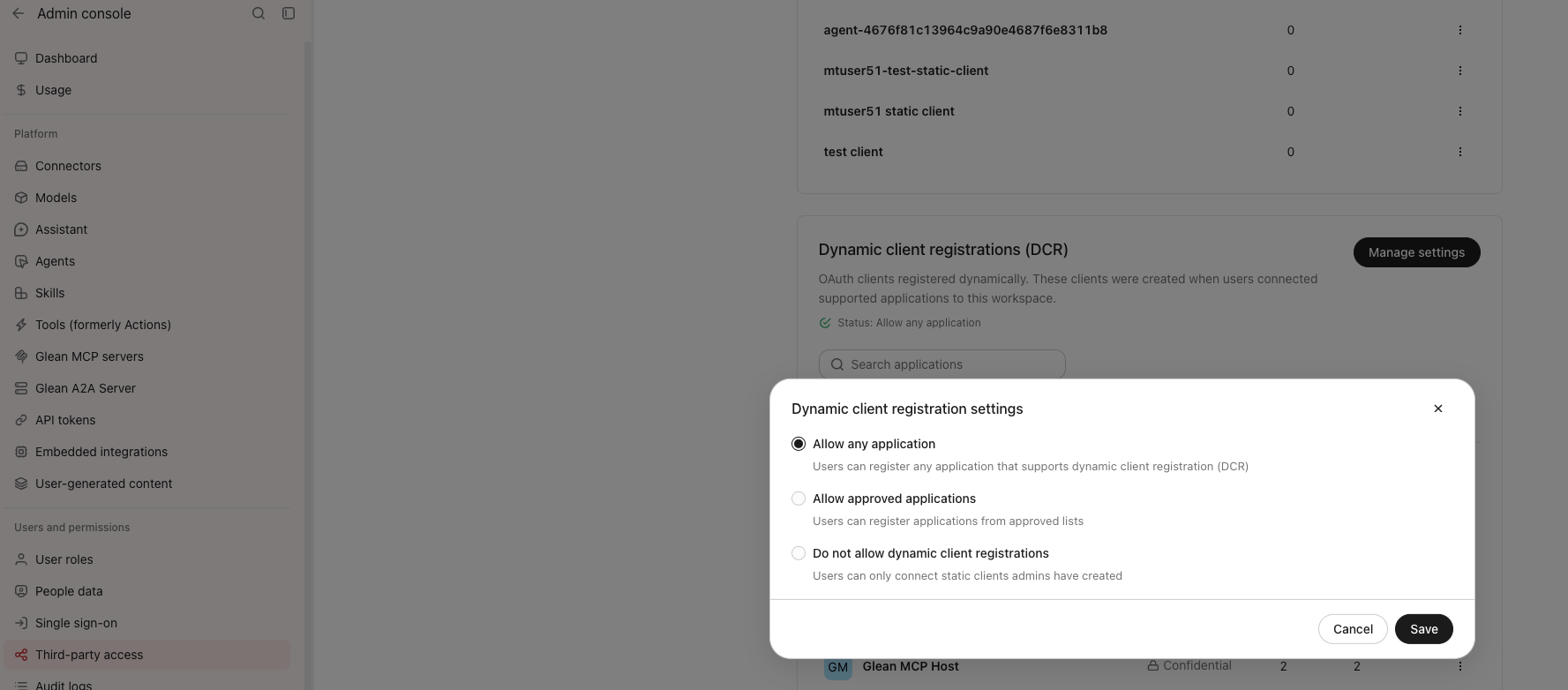
Dynamic client registration settings with Allow any application selected
If you choose Allow approved applications, select the lists that registration is restricted to.
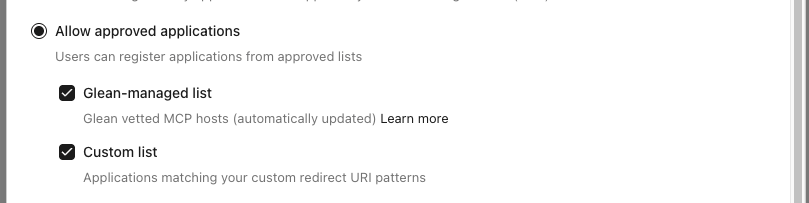
Approved application lists for dynamic client registration
For more information about each option, see Dynamic Client Registration.