Configure tools in connector setup
Glean enables configuration of tools directly from the connector setup, allowing Glean Assistant and Glean Agents to securely take action in those applications. This enhancement introduces a faster, single point of setup, allowing administrators to manage native tools and Model Context Protocol (MCP) tools while they are already configuring the connector.
- Integrated setup: A link to set up tools is embedded in the connector setup experience, so admins can connect tools while configuring each connector.
- Model Context Protocol (MCP): Connectors can be securely associated with MCP servers, which enables agents to run broader, directory-backed tools.
Availability and setup constraints
- Tools tab availability in setup: The Tools tab becomes available only after the initial connector setup is complete. You must finish the initial configuration, then edit the connector to add and configure tools.
- MCP tools: Support for MCP tools are coming soon.
Core capabilities
Tools allow Glean Assistant and Glean Agents to perform sophisticated tasks within integrated systems:
- Read, write, and execute: Agents can read from systems, write back to systems, and execute custom tasks via SDK or MCP.
- Human-in-the-loop: Apps/agents can include tools and always run with human-in-the-loop confirmation.
- Scalable tools: The platform supports native tools and an expanding catalog of tools via MCP.
- Security: Tools are centrally managed and require explicit user/admin authorization. All tools are grounded in enterprise context and permissions.
Prerequisites
| Requirement | Detail |
|---|---|
| User role | You must have admin access to Glean Admin Console. |
| Authentication | You must be able to authenticate with the target application(s) (OAuth/account with required scopes) when prompted during tool setup. |
Step-by-step setup
Follow these steps to associate tools or an MCP server with a connector.
-
Navigate to the Admin Console and start or edit the setup for the connector you want to configure.
-
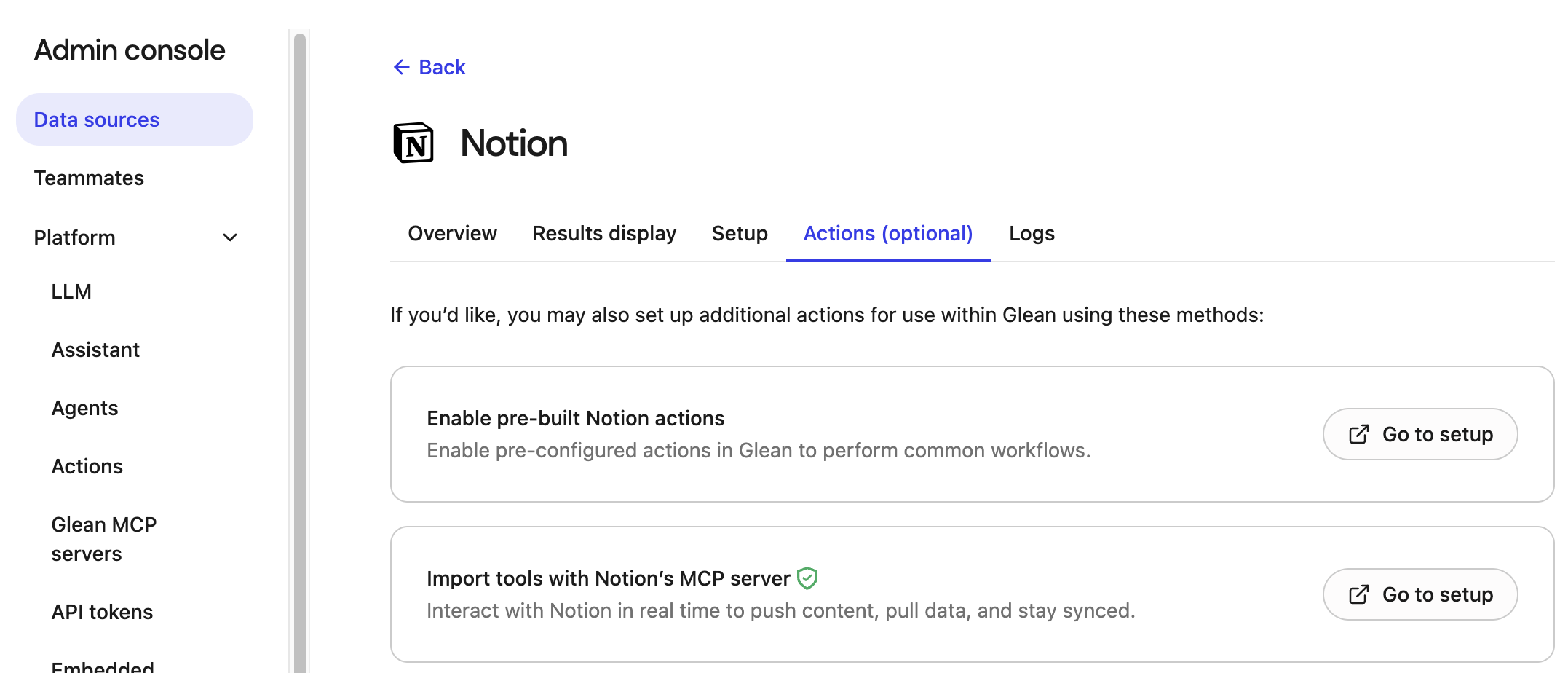
Select Tools (optional) . For example:
-
Choose tool source: Select the source for the tools, which opens the tools setup scoped to your connector:
- Native tools (when available for the app): Enables pre-configured tools in Glean to perform common workflows.
- MCP server-backed tools (select from the MCP directory to enable broader tool families): Import tools with the MCP server to interact with the connector in real time, enabling you to push content, pull data, and stay synced.
-
Complete the authentication.
-
Save and verify the configuration.