Crawl types
Glean runs several types of crawls, each serving a different purpose in keeping search results accurate and fresh.
Full content crawl
A comprehensive process that indexes the entire corpus of a connector. These crawls are scheduled at regular intervals to ensure complete dataset accuracy in the search index.
Incremental content crawl
An efficient update strategy that focuses on modified or newly added content since the previous crawl, optimizing resource usage by avoiding full repository scans.
Activity crawl
A continuous monitoring process that tracks and indexes specific changes within a connector, including content additions, updates, deletions, and permission modifications.
Identity crawl
A specialized process for retrieving and updating identity-related information across various connectors.
People data
Organizational information about individuals, encompassing names, titles, email addresses, departmental affiliations, and other relevant attributes.
Update rate
The frequency at which the system performs incremental fetches to update or refresh data from different sources to ensure that the latest information is available.
Understand the initial crawl
The initial content crawl after you set up a connector is a one-time full sync. It takes longer than subsequent incremental crawls because the duration depends on corpus size, source API rate limits, and connector configuration.
For select connectors, Glean shows an optional crawl time estimate during setup, based on your corpus size and historical crawl data, so the numbers reflect your own deployment. To use it:
Open the Schedule first crawl tab
Navigate to the Schedule first crawl tab while adding a new connector.
Choose the crawl method
Choose between Crawl now or Do this later.
Select your estimated corpus size
Use the optional dropdown labeled Roughly how many items do you expect? to select the range that best fits your expected document count. Options are connector-specific and formatted as ranges (for example, 10,000–100,000), with the last segment open-ended (for example, 1,000,000+).
Get sync time estimate
After selecting a range, an estimated crawl duration appears below the dropdown, for example, Initial sync estimated to complete in 2 days.
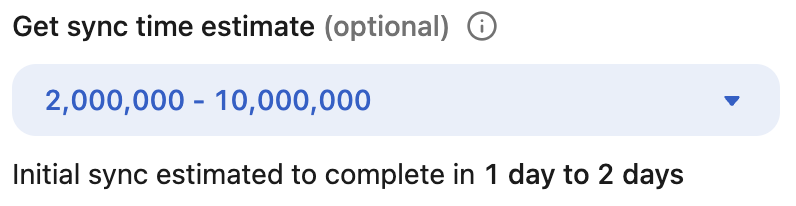
Example: the Schedule first crawl step for the Gong connector. The available ranges and estimate vary by connector and corpus size.
Estimates draw on historical averages of past crawl durations for similar connectors and corpus sizes. They appear in days as a broad range, not a precise ETA, and actual crawl time varies with data volume, change frequency, API rate limits, and content structure.
Initial crawl estimates aren't available for every connector. They aren't shown for Atlassian connectors (Jira, Confluence, Bitbucket, Trello) or for Slack and Slack Enterprise Grid, because of rate-limiting variability, and no estimate appears when there isn't enough historical data for a connector.
Once the crawl starts, monitor Crawl rate and Items synced in the Admin console to follow progress.
Configuration
All crawling frequencies are default settings. These values can be customized to meet specific organizational needs. Contact Glean Support to adjust crawl frequencies or request an on-demand recrawl for your deployment.
Organizations can fine-tune their crawling configuration in the following ways:
API call rate management
Administrators can configure:
- The rate of API calls per second
- The number of concurrent API calls
- Dynamic exponential backoff parameters for handling overload scenarios
Time-based controls
The system supports granular scheduling with different rates for:
- Peak operational hours
- Off-peak periods
- Specific days of the week
- Custom time windows