Choose your Fathom setup
Unified setup configures Fathom indexing and offers an optional connection to Fathom's Model Context Protocol (MCP) tools. The previous indexing setup configures search without a tools connection step.
Existing connectors keep their setup flow and don't automatically move to unified setup.
Compare the setup paths
Both paths require a custom Fathom OAuth app and account-admin authorization to read the user list. Each user, including the setup admin, also authorizes their own account for indexed content.
| Capability | Unified setup | Indexing setup |
|---|---|---|
| Setup flow | Set up indexing → Connect Fathom MCP → Review setup | Setup → Schedule first crawl |
| Indexing credentials | Enter the OAuth client ID and secret in Set up indexing. | Enter the same credentials in Setup. |
| Tools connection | Optionally connect Fathom MCP through a separate authorization. Glean registers the MCP OAuth client automatically. | No tools connection step in this flow. |
| Indexing without tools | Click Skip on Connect Fathom MCP. | Complete indexing setup. |
Indexing and tools use separate authorizations. Authorizing one connection doesn't authorize the other or grant access to other users' meetings.
Find your setup
Choose the guide that matches the steps shown for your Fathom connector in the Glean Admin console.
- Unified setup
- Indexing setup
If you see Set up indexing → Connect Fathom MCP → Review setup, your connector uses unified setup.
Complete indexing authorization first. To use Fathom tools, connect MCP. To use indexing without tools, click Skip. Then review setup and click Begin indexing.
Continue with unified setup
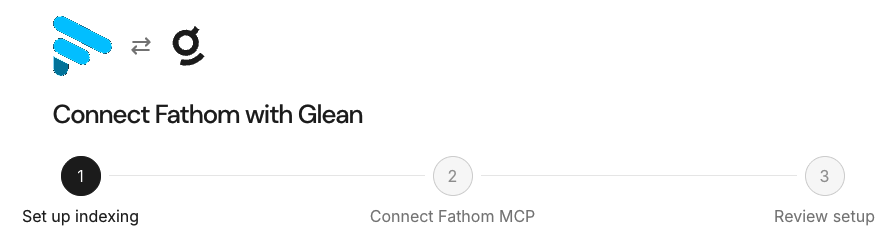
Unified setup shows Set up indexing, Connect Fathom MCP, and Review setup.
If you see Setup → Schedule first crawl, your connector uses indexing setup.
The Setup form collects Name, OAuth Client ID, and OAuth Client Secret, followed by Save and Authorize. It doesn't have a Connect Fathom MCP step.
Continue with indexing setup
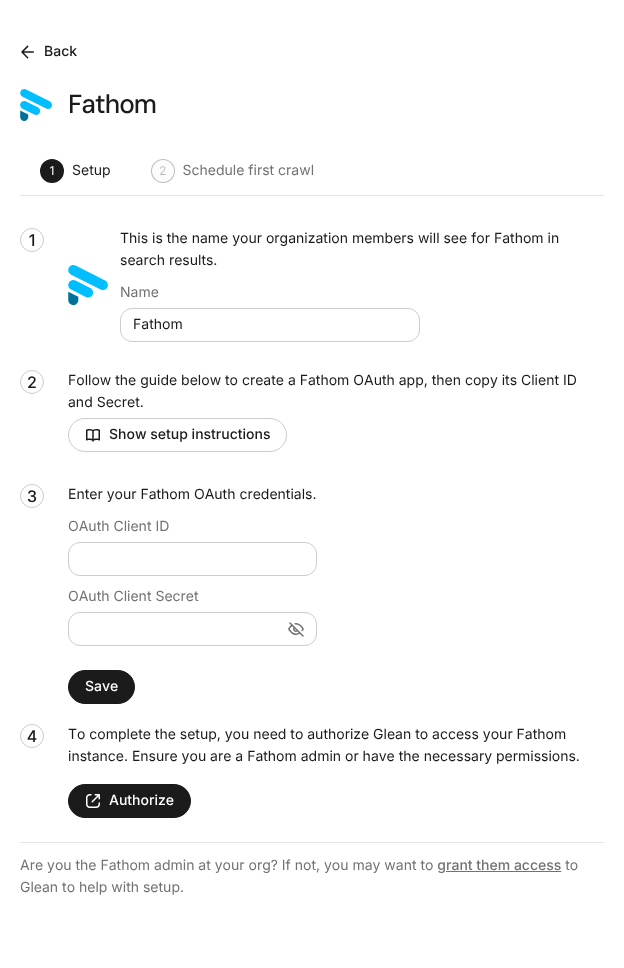
Indexing setup collects OAuth credentials and authorization in a single Setup form.
Availability depends on your workspace configuration.
See also
- Fathom overview: Check indexed content, permissions, and per-user authorization.