Inclusion and exclusion rules for Slack
Use inclusion and exclusion rules to control Glean's access to Slack content. They do not modify native Slack permissions.
For a general overview of content restrictions (greenlisting and redlisting), see Excluding content.
Configure exclusion and inclusion rules
These configurations are optional. If you have no specific rules, leave the sections blank.
-
In the Glean Admin console, go to Connectors.
-
Search your Slack (Slack, Slack Enterprise, Slack Real Time Search or Slack Real Time Search Enterprise) connector.
-
Open the Manage data (optional) tab.
You will see two sections:
- Inclusion rules
- Exclusion rules
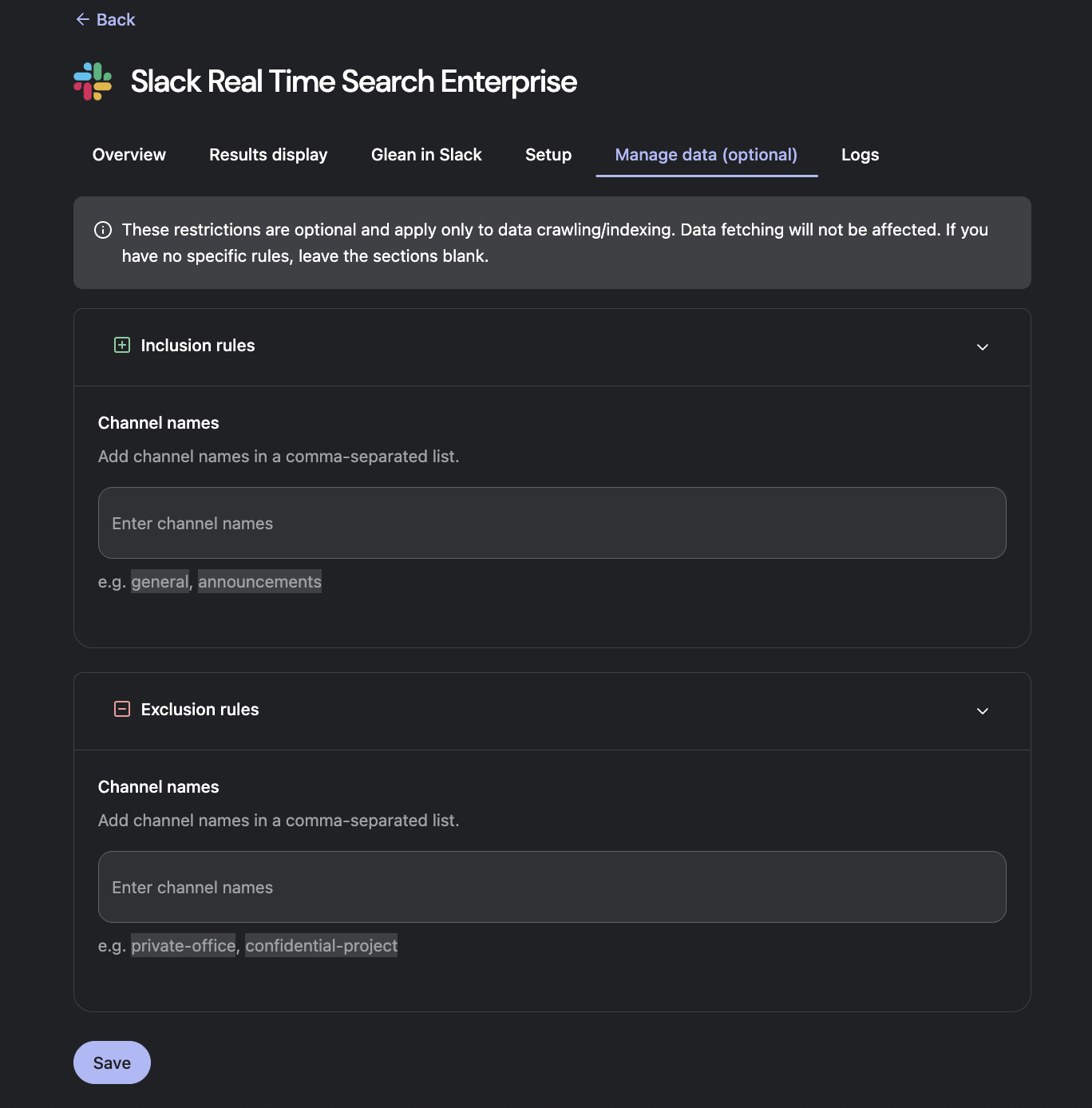
Inclusion rules (Greenlisting)
Inclusion rules act as a greenlist. They explicitly tell Glean which channels it should access data from. Data fetching (threads and messages) will only be done from these channels. Use inclusion rules when you want Glean to access a small, controlled set of channels (for example, only public “announcement” or “internal-docs” channels).
- In Inclusion rules → Channel IDs, enter one or more Slack channel IDs as a comma-separated list (e.g.,
C0123456, C678910).
Behavior:
- If you add inclusion rules, Glean only brings in data from the channels listed here (subject to workspace permissions).
- If you leave inclusion rules blank, Glean can access any eligible channels that are visible to the Slack app, unless they are explicitly excluded by exclusion rules.
Exclusion rules (Redlisting)
Exclusion rules act as a redlist. They explicitly tell Glean which channels not to access. Threads and messages will not be fetched from these channels. Use exclusion rules when you want to keep specific channels out of Glean (for example, HR, legal, or highly sensitive incident channels).
- In Exclusion rules → Channel IDs, enter one or more Slack channel IDs as a comma‑separated list (e.g.,
C0123456, C678910).
Behavior:
- Channels listed in exclusion rules are not accessed by Glean.
- Messages in those channels will not appear in search results or Glean answers, even if users have permission to see them in Slack.
Prefix/suffix based exclusion rules
We support special prefix/suffix based channel exclusions. No content will be accessed from channel names having these redlisted prefixes or suffixes. Please contact the Glean team to configure this.
Example:
- Prefix Exclusion rules:
abc,def - Suffix Exclusion rules:
pqr,xyz
Result:
- Glean cannot access from channels with names:
abcdef,def-123,123pqr,456-xyzetc.
Use inclusion and exclusion rules together
You can configure both inclusion and exclusion rules at the same time. When both rule types are configured, exclusion rules take precedence.
- Inclusion rules define the overall set of channels Glean is allowed to access.
- Exclusion rules further narrow that set by removing data from specific channels.
Example:
- Inclusion rules:
C000, C111, C222 - Exclusion rules:
C222
Result:
- Glean accesses content from
C000andC111. - Glean does not crawl
C222.