Identify connector type
If you're an existing Glean and Slack user, you may have one or more of the following Slack connectors:
- Central App
- Custom App
- Slack Enterprise Grid (Discovery API)
To find out which connector you are using, do the following:
- In Glean, go to Admin console → Connectors.
- Find your Slack connector and open the connector details page.
- Select the Setup tab.
- Review the fields under step 1 and select the connector type that matches your setup.
See the options below:
- Central App
- Custom App
- Slack Enterprise Grid (Discovery API)
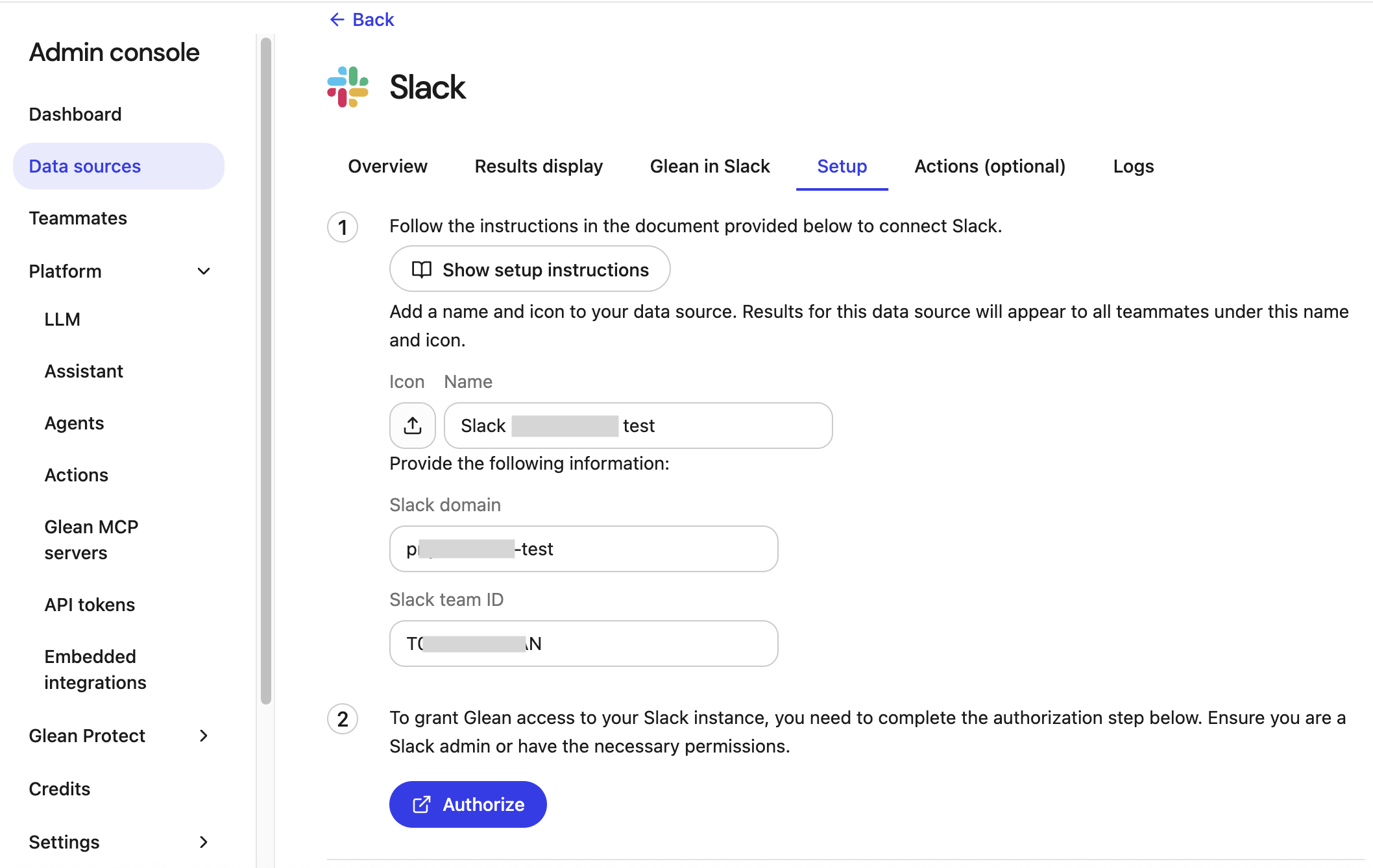
Central App
If you see the following fields, you are using a Central App:
- Slack domain
- Slack ID
Central App Upgrade Guide
Select this card to view the guide for upgrading your Central App to the new Slack connector.
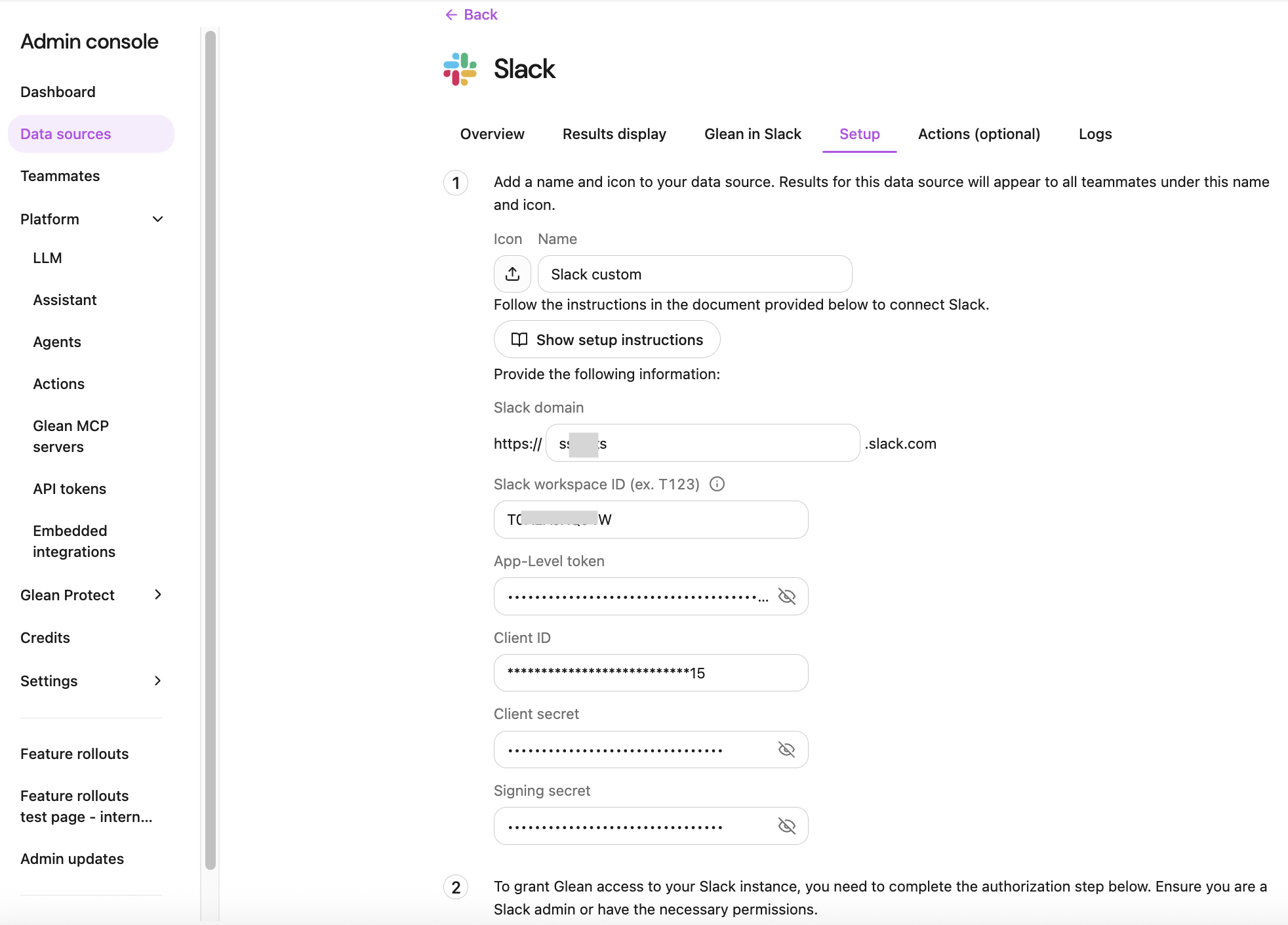
Custom App
If you see the following fields, you are using a Custom App:
- Slack domain
- Slack ID
- App-Level Token
- Client ID
- Client secret
- Signing secret
Custom App Upgrade Guide
Select this card to view the guide for upgrading your Custom App to the new Slack connector.
Slack Enterprise Grid (Discovery API)
If you see the following fields, you are using a Slack Enterprise Grid (Discovery API):
- Slack Enterprise domain (for example,
yourdomain.enterprise.slack.com) - Bot User OAuth Token
- Bot Signing Secret
- App-Level Token
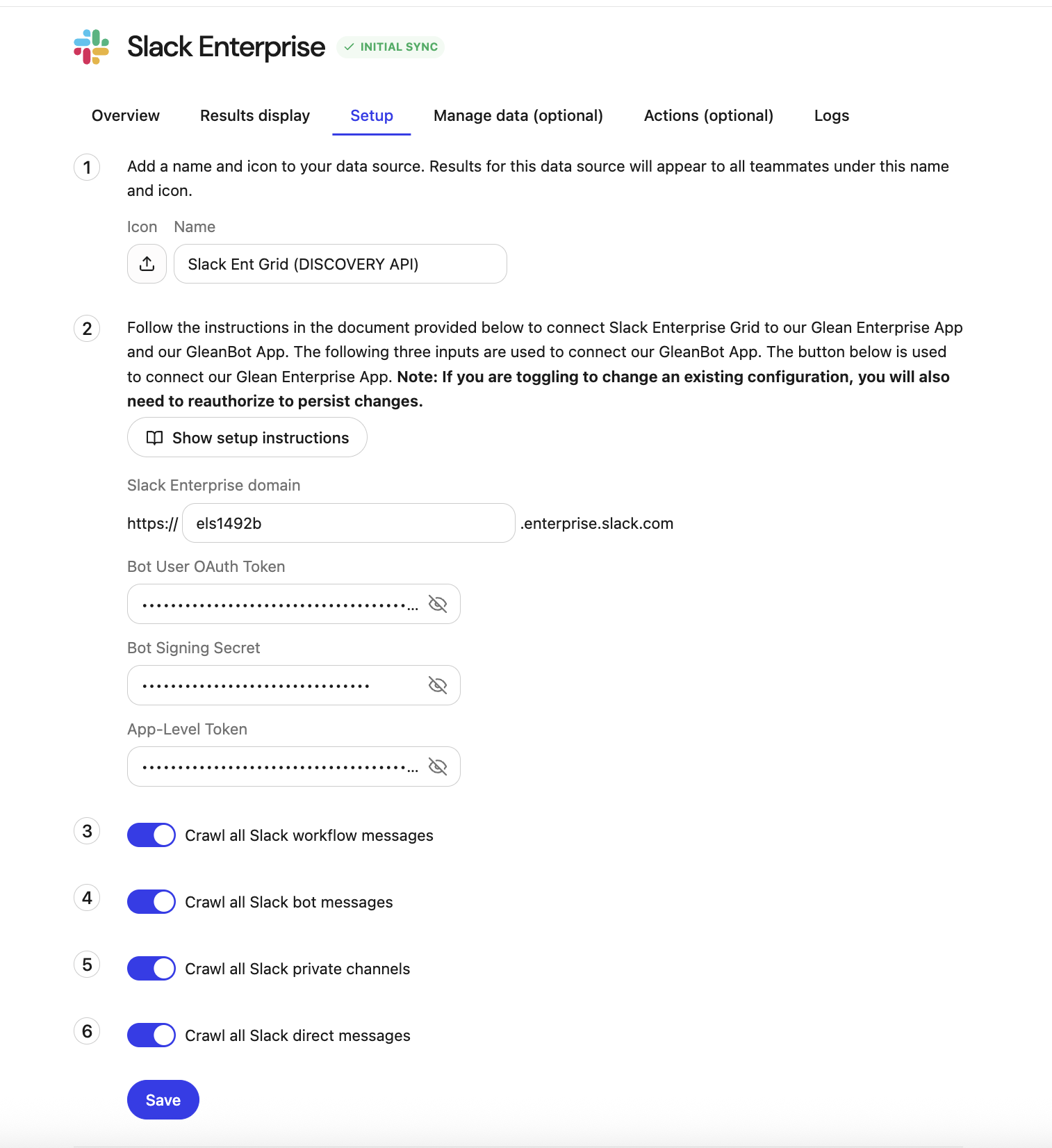
Enterprise customers without a custom Slack app will still see all of the fields above. The custom app fields (App-Level Token, Client ID, Client secret, Signing secret) may be blank. If those fields are empty in your existing connector configuration, they must be upgraded manually. Contact Glean Support to coordinate this migration.
If Glean has notified you that your Slack Enterprise connector is being migrated and you see a setup page titled Finish upgrading your Slack Enterprise connection, see Complete your Slack Enterprise Grid migration instead.
Enterprise Grid Upgrade Guide
Select this card to view the guide for upgrading your Slack Enterprise Grid app to the new Slack connector.
Which RTS connector should I select when upgrading?
When you add the Slack Real Time Search (RTS) connector, select the RTS connector based on how your existing Slack connector is configured in the Glean Admin Console.
| If your existing Slack connector is… | Select this RTS connector: |
|---|---|
| Slack (Central App) or Slack (Custom App) | Slack Real Time Search |
| Slack Enterprise Grid (Discovery API) | Slack Real Time Search Enterprise |