Query flow
The query path handles user search requests and authentication. This page describes how a user accesses Glean, authenticates through your SSO provider, and runs a search on the tenant Query Endpoint (QE).
Prerequisites
Before you review this flow, identify the deployment model, the configured SSO provider, and the company domain names mapped to your tenant.
Authentication steps
Web application overview
Initial access
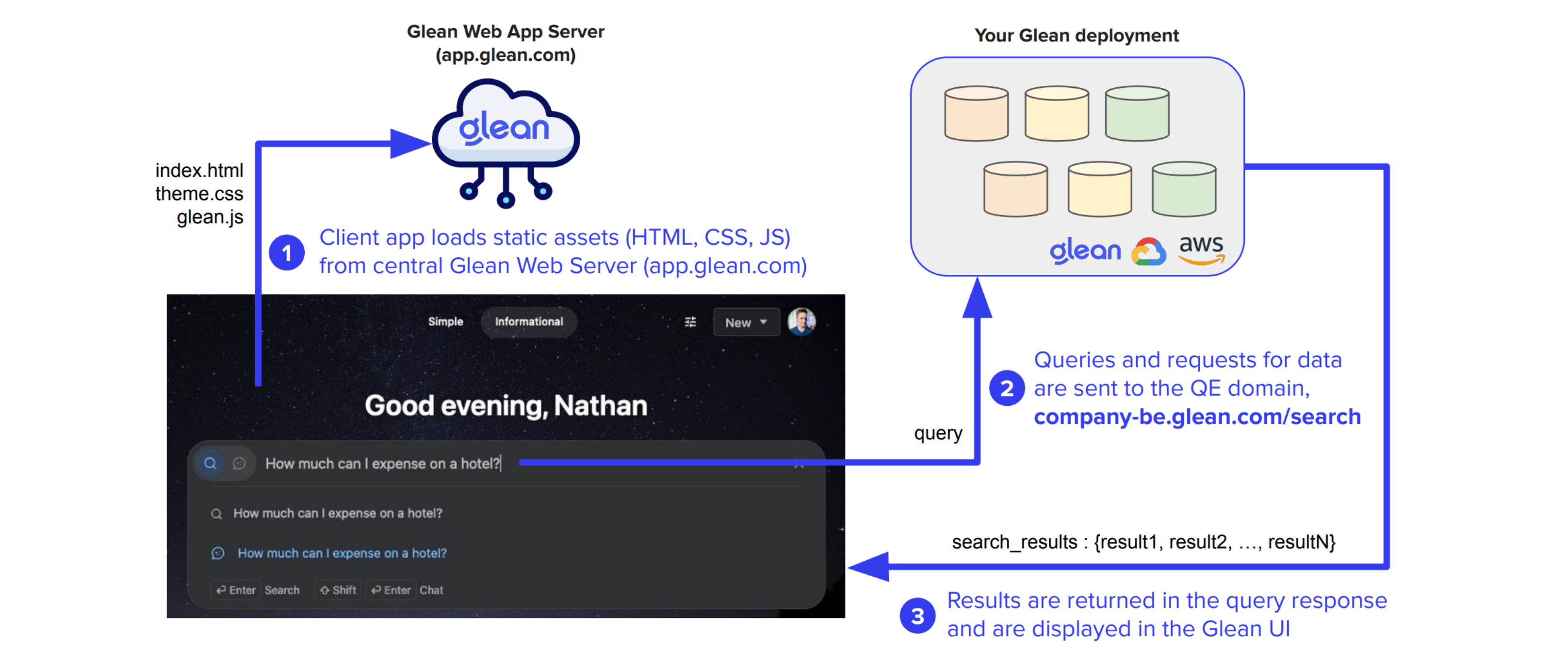
Users access Glean through the web application at https://app.glean.com, hosted within Glean's central cloud infrastructure. The application serves static assets including images, CSS, and JavaScript.
Session check
The web client checks for an existing session state in the user's local storage. If none exists, authentication is required because anonymous searching is not supported.
Authentication process
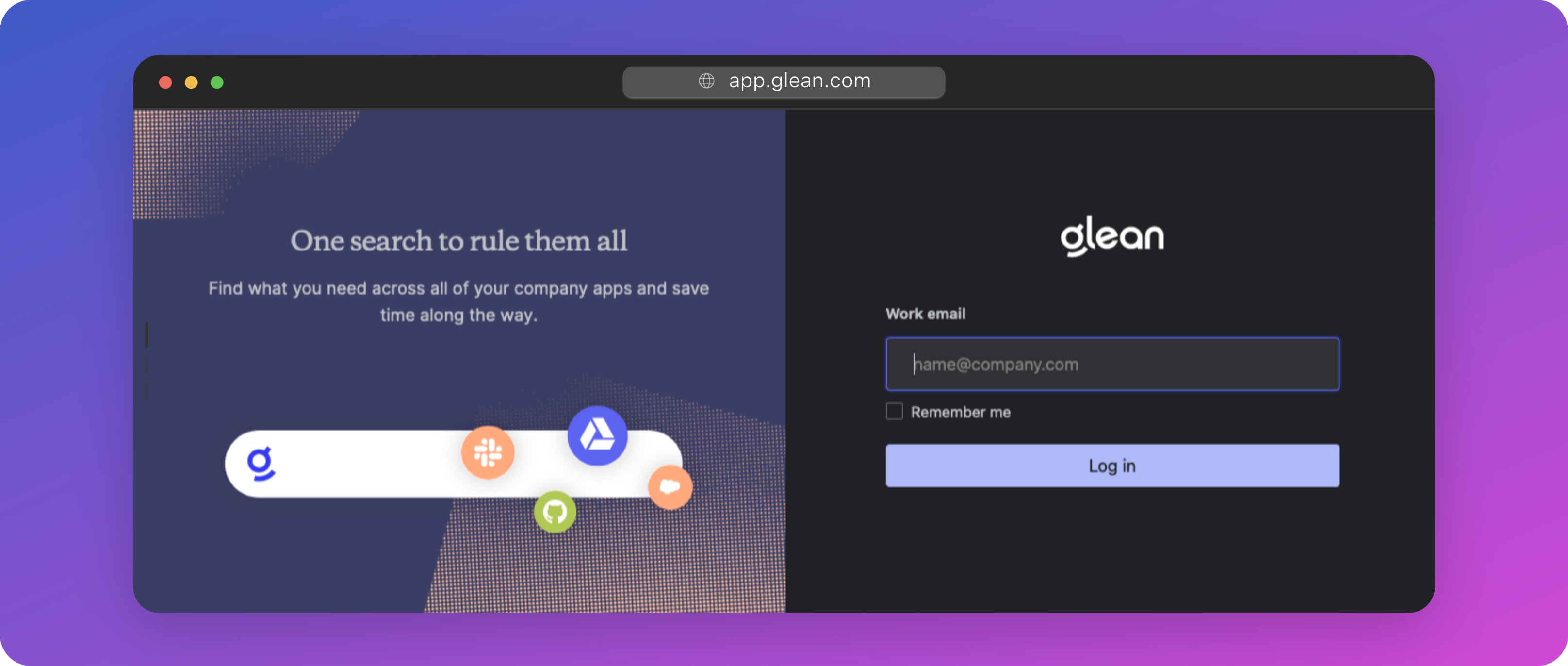
Users begin by entering their email address, such as user@company.com.
Tenant resolution
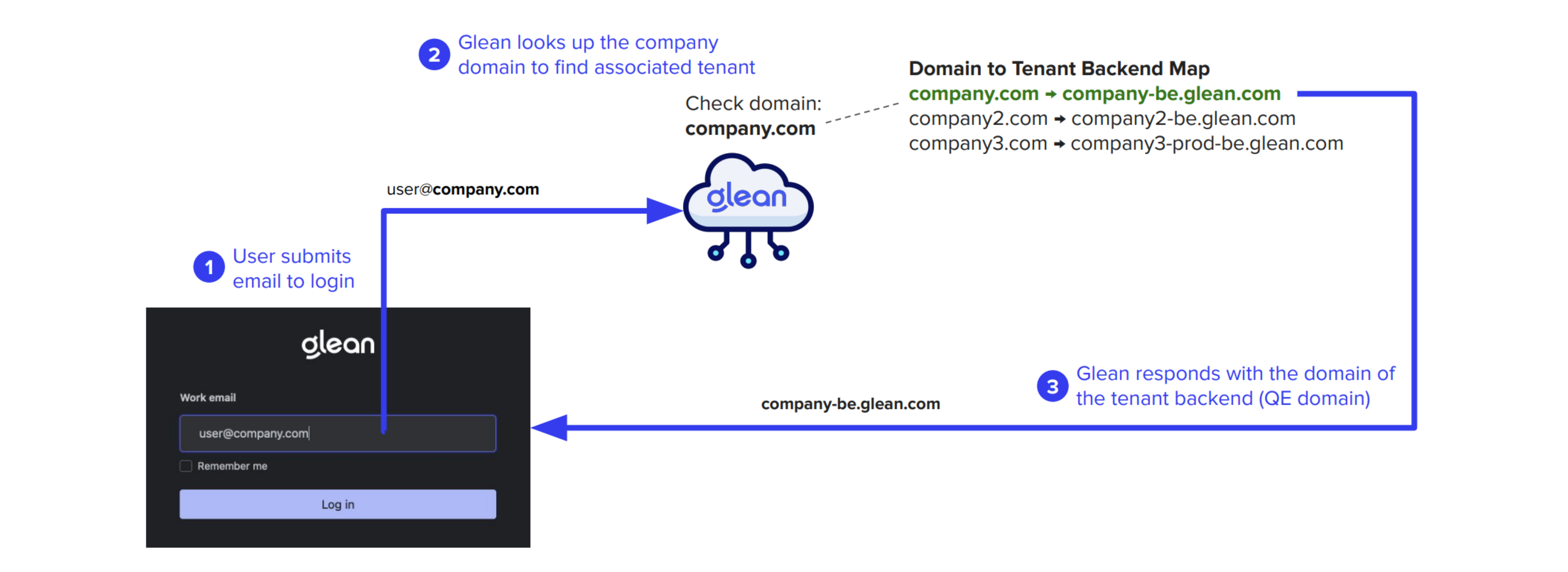
Each customer tenant requires a list of company domain names for authentication. These domains are mapped to a tenant-specific Query Endpoint (QE) of the form <tenant_id>-be.glean.com.
The authentication process follows these steps:
Domain lookup
When a user submits their email, the web app performs a domain lookup to determine the appropriate QE domain.
QE assignment
The QE domain resolves to a static IP uniquely assigned to your company's Glean tenant, whether deployed in Glean SaaS or your own cloud environment.
SSO integration
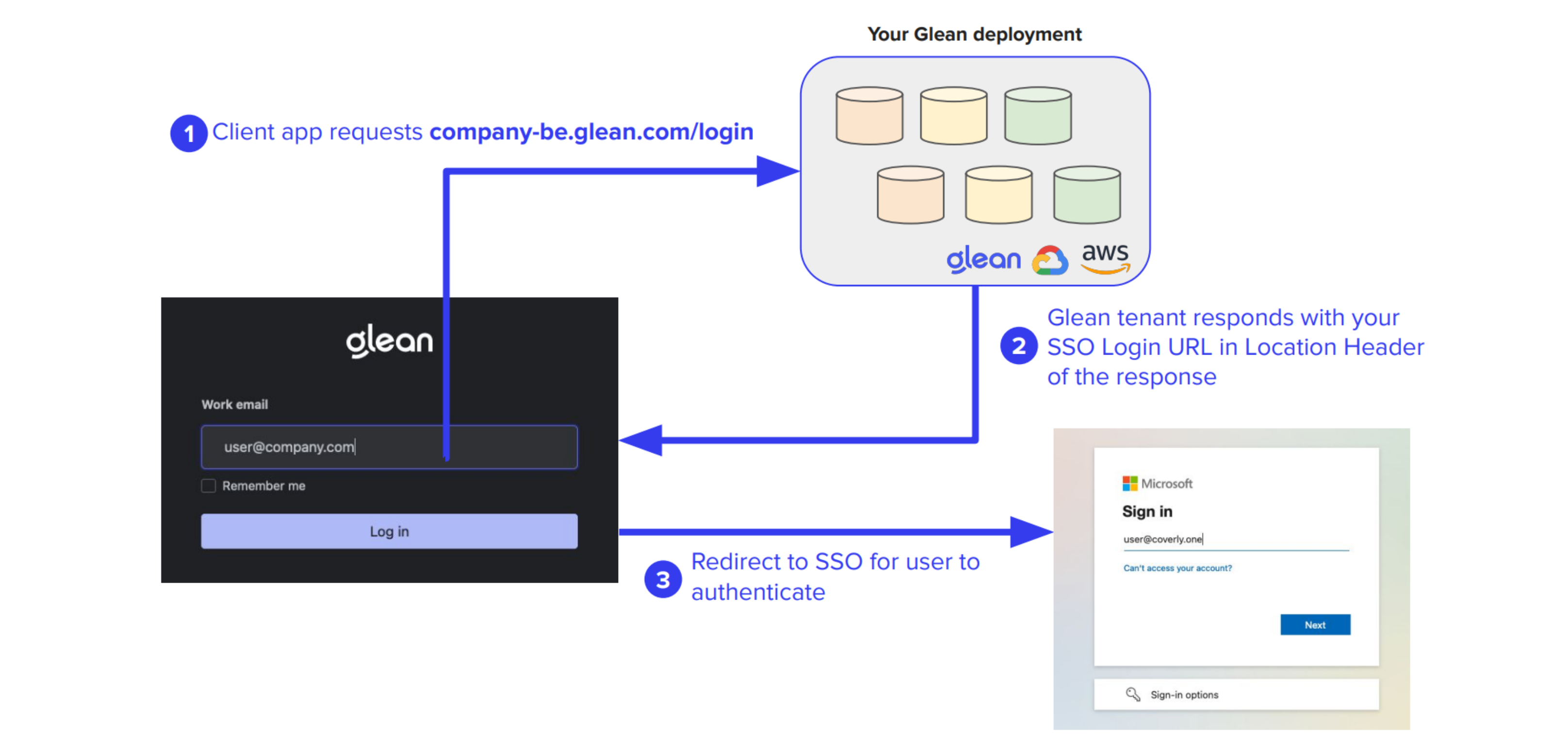
Unauthenticated users are redirected to your configured SSO provider for authentication.
End-to-end query and authentication flow
The following diagram illustrates the complete process from initial access to query execution:
Query endpoint communication
When users perform searches, requests are sent to:
https://<tenant_id>-be.glean.com/api/v1/search
Example request header
{
    "cursor": "[...snip...]",
    "maxSnippetSize": 324,
    "pageSize": 10,
    "people": [],
    "query": "expense policy",
    "requestOptions": {
        "debugOptions": {},
        "disableQueryAutocorrect": false,
        "facetBucketSize": 0,
        "facetFilters": [],
        "timezoneOffset": -660
    },
    "sc": "",
    "sessionInfo": {
        "lastSeen": "2023-12-13T05:03:49.808Z",
        "sessionTrackingToken": "[...snip...]",
        "lastQuery": "expense policy"
    },
    "sourceInfo": {
        "clientVersion": "fe-release-2023-12-05-86ae10d",
        "initiator": "MORE",
        "modality": "FULLPAGE"
    },
    "timeoutMillis": 10000,
    "timestamp": "2023-12-13T05:04:14.093Z",
    "trackingToken": "[...snip...]"
}
Example response
{
    "trackingToken": "[...snip...]",
    "sessionInfo": {
        "sessionTrackingToken": "[...snip...]",
        "lastSeen": "2023-12-13T05:04:14.385838873Z",
        "lastQuery": "expense policy"
    },
    "results": [
        {
            "trackingToken": "[...snip...]",
            "document": {
                "id": "GDRIVE_11[...snip...]Kp-P",
                "datasource": "gdrive",
                "docType": "pdf",
                "parentDocument": {
                    "id": "GDRIVE_1t[...snip...]qqsy",
                    "datasource": "gdrive",
                    "docType": "Folder",
                    "title": "Company Policies",
                    "url": "<google-drive-folder-url>"
                },
                "title": "CompanyExpensePolicy-sept2023.pdf",
                "url": "<google-drive-file-url>",
                "metadata": {
                    "datasource": "gdrive",
                    "datasourceInstance": "gdrive",
                    "objectType": "pdf",
                    "container": "Insurance Policies",
                    "containerId": "GDRIVE_1t[...snip...]qqsy",
                    "mimeType": "application/pdf",
                    "documentId": "GDRIVE_11f...snip...]Kp-P",
                    "createTime": "2023-06-05T20:00:25Z",
                    "updateTime": "2023-06-16T11:59:42Z",
                    "author": {
                        "name": "Sam Sample",
                        "obfuscatedId": "B79[...snip...]3D8"
                    },
                    "owner": {
                        "name": "Sam Sample",
                        "obfuscatedId": "B79[...snip...]3D8"
                    },
                    "visibility": "SPECIFIC_PEOPLE_AND_GROUPS",
                    "assignedTo": {
                        "name": "Sam Sample",
                        "obfuscatedId": "B79[...snip...]3D8"
                    },
                    "updatedBy": {
                        "name": "Sam Sample",
                        "obfuscatedId": "B79[...snip...]3D8"
                    },
                    "datasourceId": "11[...snip...]Kp-P",
                    "interactions": {},
                    "documentCategory": "COLLABORATIVE_CONTENT"
                }
            },
            "snippets": [
                {
                    "snippet": "",
                    "mimeType": "text/plain",
                    "text": "You can submit them to your manager using the current expense reporting method (current method here) within three months after the date of each expense. If your manager approves your expenses, you will receive your reimbursement within two pay periods on your regular paycheck."
                }
            ]
        }
    ]
}
The Search API documentation describes the current request and response fields for the supported Search API.