Library
Library is a dedicated place where you can browse, search, and revisit the content you create in Glean, as well as discover those your colleagues have shared with you.

Library opens on the Artifacts tab, showing what you created.
You can use Library to:
- Reopen a document you created last week
- Find a slide deck or image you want to reuse
- Browse interactive artifacts colleagues across departments have shared
Open Library
To open Library, select Library in the left navigation. If your organization or personal settings moved it out of the visible area, open More and select Library.
Browse by content type
The tabs at the top of the page organize your content.
| Tab | What you'll find |
|---|---|
| Artifacts | Documents, slides, interactive artifacts, and everything else you create in a conversation with Glean. |
| Projects | Projects that keep related chats, documents, and artifacts together in one workspace. |
| Meeting notes | Meeting notes captured from your calls, so you can revisit decisions and follow-ups. |
| Go Links | Go Links, the short go/link bookmarks people use across your company. |
| More | Answers and Announcements. |
Which tabs you see depends on the features enabled in your organization.
Click any artifact to open it alongside the conversation where it was created. From there you can keep editing it, share it, or export it.
Find artifacts
The Artifacts tab opens on Created by me, so your own work comes first. Use Type to narrow the list to Audio, Documents, Emails, Images, Interactive, Messages, Slides, or Spreadsheets.
Sort the list by Recently viewed, which is the default, or by Created date.
To find one specific item, use Search library at the top of the page.
Find artifacts your teammates created
Switch Created by me to Shared with me to see what other people have published. Two more filters appear: Creator, which narrows the list to specific people, and Department, which narrows it to a team.

Shared with me adds Creator and Department filters.
A few use cases:
- Filter to Slides from the Sales department to find a customer deck you can adapt for your own account.
- Filter to Interactive from Data Science to see the dashboards that team has built.
Shared with me shows only the artifacts someone shared with you directly and the artifacts marked Visible across your entire org via Search and Library. Anything shared by link alone stays out of Library.
Share content across your organization
When you share content, you choose who can open it and whether people can discover it in Library and Glean search.
Change who can access your content
-
Open the content you want to share.
-
Click Share.
-
Under People with access, add the groups, departments, and teammates who need the content. You keep the Owner role on anything you created.
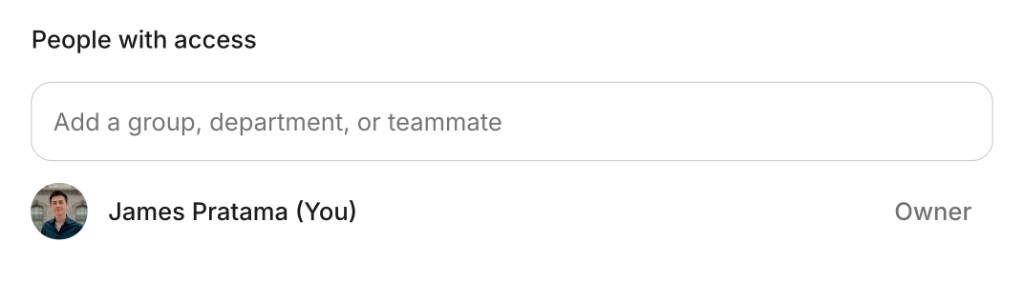
Add a group, department, or teammate under People with access.
-
Under General access, choose one of the following:
- Restricted to only people with access — only the groups, departments, and teammates you added can open the content.
- Anyone at [company name] can view — anyone at your company can open the content.
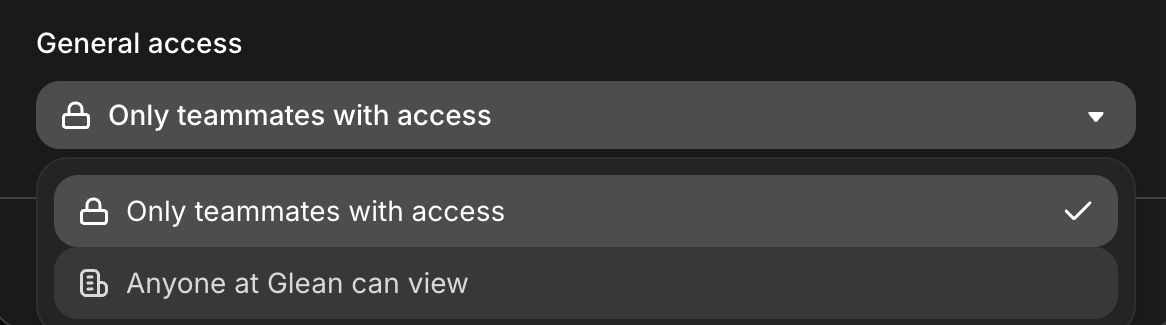
The General access menu shows your own company name in the second option.
-
If you chose Anyone at [company name] can view, select Visible across your entire org via Search and Library to make the content discoverable. Leave it cleared to keep the content unlisted, so people can open it only if they have the link.
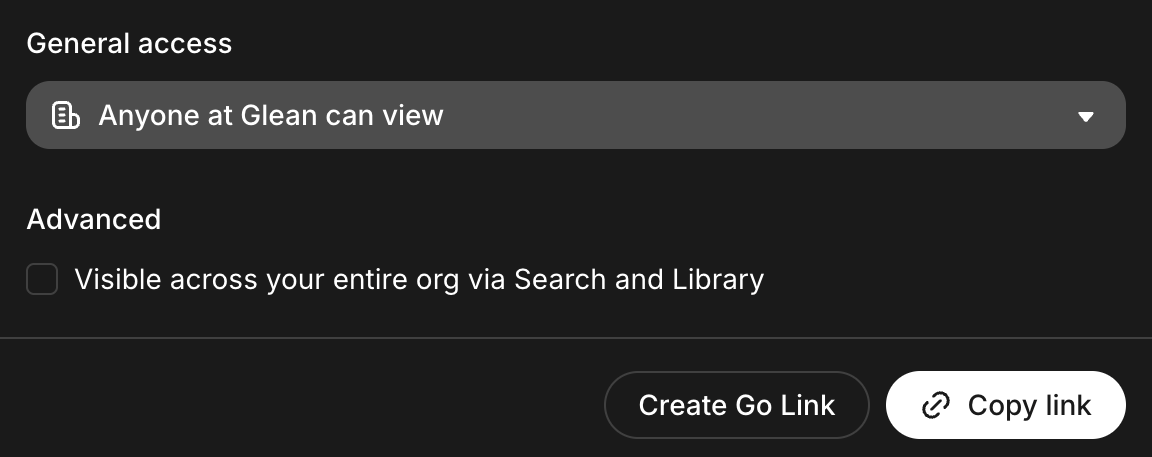
The Advanced checkbox appears only after you allow anyone at your company to view the content.
-
To send the content to someone directly, click Copy link and share the link.
Sharing options
Everyone you add under People with access finds the content in their own Library under Shared with me, whichever General access option you choose. The Visible across your entire org via Search and Library checkbox controls whether the rest of your company can discover it too.
| General access | Who can open it |
|---|---|
| Restricted to only people with access | Only the groups, departments, and teammates you add under People with access. |
| Anyone at [company name] can view, with Visible across your entire org via Search and Library cleared | Anyone at your company who has the link. |
| Anyone at [company name] can view, with Visible across your entire org via Search and Library selected | Anyone at your company. |
Select Visible across your entire org via Search and Library when the content is useful across your organization, such as a reusable document, a team message template, or a reference asset. Leave it cleared when you want to share content more narrowly, without making it discoverable across your organization.