Clarifying questions
Glean can ask short, contextual follow-up questions when your request is ambiguous or missing key details. These clarifying questions appear only when needed, not for every prompt. They ask for your judgment only when Glean needs it to confidently infer the right path from available context.
How clarifying questions work
Glean detects ambiguity
When you submit a task-execution request, Glean evaluates whether key details such as audience, scope, format, or emphasis are missing or ambiguous.
Interactive clarifying questions appear
Glean displays one to three questions, each with two to four clickable options and a free-text field labeled Something else for custom answers. A Skip button is always available.
Glean proceeds with your input
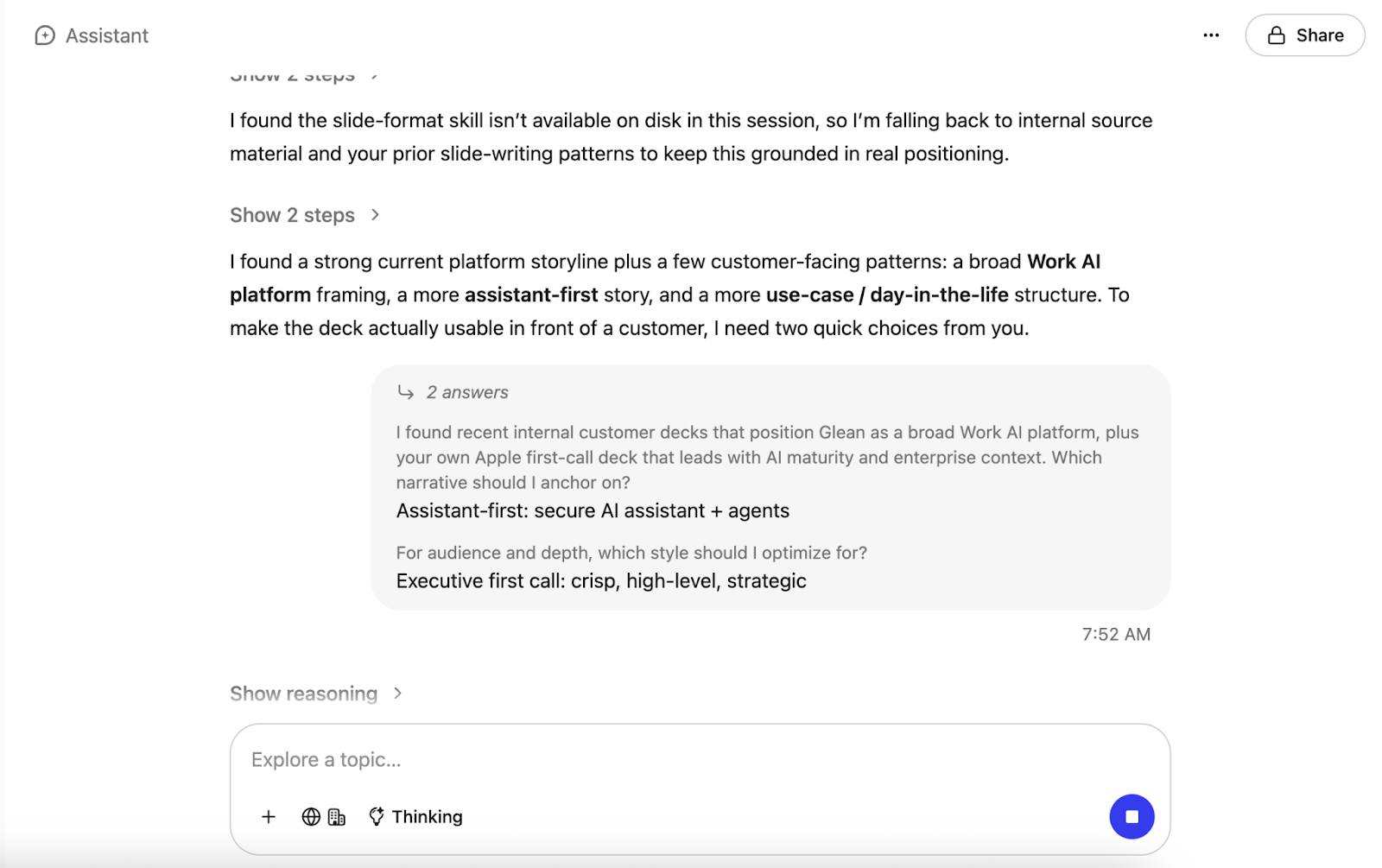
After you answer or skip, Glean incorporates your selections and begins the task. If you skip, Glean proceeds with reasonable defaults. Your responses and any skipped questions are reflected in the output.
Example
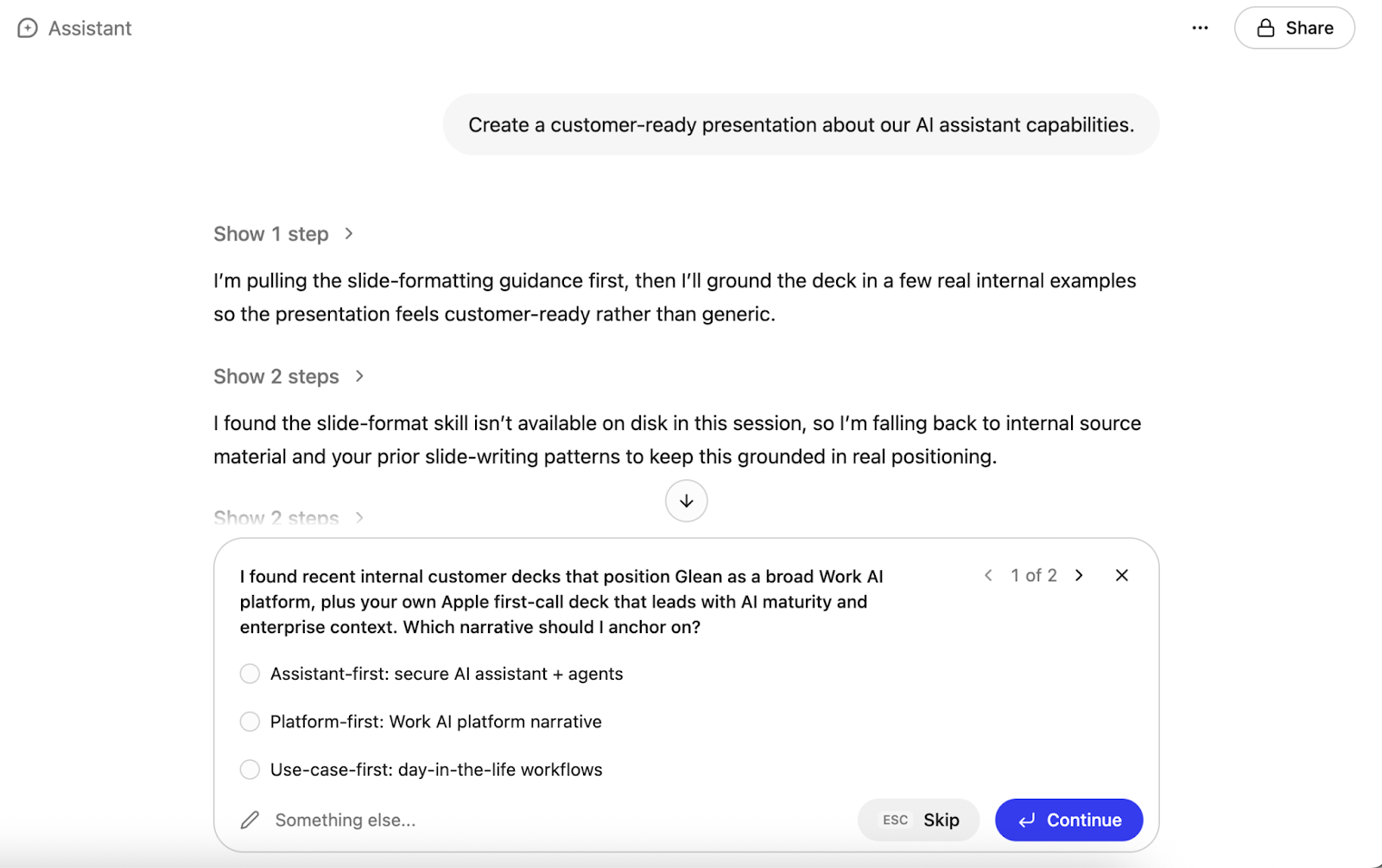
For example, you ask Glean to "Create a customer-ready presentation about our AI assistant capabilities."
Before starting work, Glean displays two questions:
-
Which narrative should I anchor on? with options such as Glean-first, Platform-first, and Use-case-first.
-
For audience and depth, which style should I optimize for? with options such as Executive first call, Business + technical buyers, and Technical deep dive.
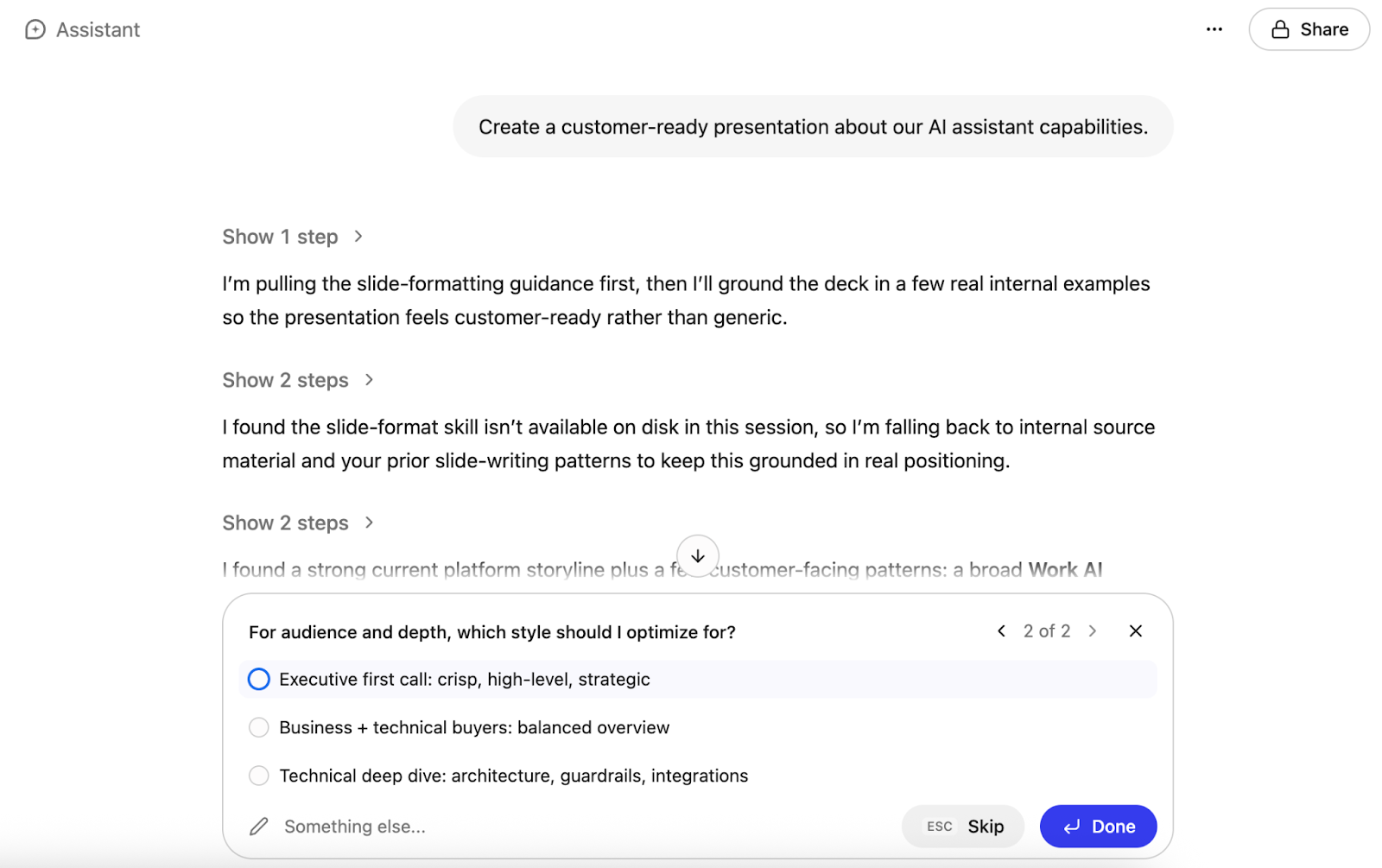
When clarifying questions appear, Glean shows a small set of suggested responses so you can answer quickly. You can choose one of the suggested options or type your own response in the free-form text box.
Why clarifying questions help
Clarifying questions improve the quality of Glean's output in several ways:
- Better results on the first try. When Glean generates a document, presentation, or analysis with the wrong framing, each revision can take minutes. Clarifying questions resolve ambiguity upfront so the first output is closer to what you need.
- Less wasted work. A quick chat answer that misses the mark takes seconds to fix with a follow-up. A presentation or report that takes minutes to generate with wrong assumptions wastes significantly more time and effort. Clarifying questions prevent that.
- A collaborative experience. Instead of guessing your intent and hoping for the best, Glean works with you to align on scope, audience, and format before it starts.
- Accessible for everyone. Clickable options reduce cognitive load so you don't need to write a detailed, expert-level prompt. You can guide Glean's work with a few clicks.
- Context-aware questions. Questions adapt to the type of task. A slide-creation request might ask about audience and key takeaway, while a data analysis request might ask about time range and metrics.
When you may see clarifying questions
Clarifying questions appear for task-execution requests where Glean needs your judgment before producing a substantial artifact or taking action. This includes work such as drafting a document, creating a presentation, taking action on an enterprise connector, or running a multi-step analysis.
You won't see clarifying questions for information-seeking requests like searching for a document, asking a factual question, or getting a quick answer. For these queries, Glean proceeds immediately with the best answer it can find.