How verification works
When you're using Glean to search for documents across different tools in your company, Glean's Verification feature makes it easy to know if a document is verified: personally approved by one of your users that it's accurate and up to date.
You can also track which of your documents your users want you to verify and set proactive reminders to help you keep your documents up to date.
See verified search results
A verified search result appears with a green badge after a result title. Hover over the badge to see who verified the document and when. This way, before you even click on a document, you can check if it's up to date or not.
Track what documents need your verification
Verification tasks
Open the Verification tasks page to see which documents your users have requested you to verify and your own reminders to reverify documents.
Your content
You can also open Your content to see the content you own across apps. Use the filters at the top of the page to find content that is unverified, verified, or deprecated. Verify and deprecate documents from there to help your users work from current information.
Verifying a document
Verifying from the web app
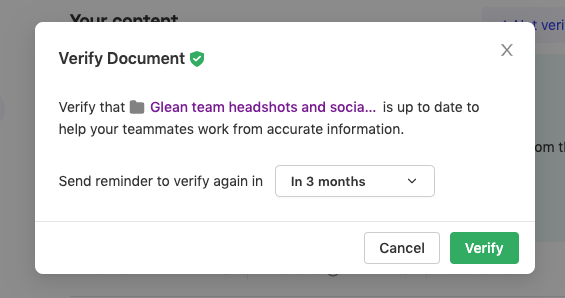
Verify a document via your Tasks list. After verifying, set a reminder to reverify the document to ensure that your content stays fresh. When the reminder is up, you'll see this document pop back into your Tasks list.
Ask for verification on your users' documents
Verifying from the web app
Hover over a search result and under the "more" menu (three dots), click "Request verification". You'll be able to select a verification reason as well to provide more details.
Verifying from the Chrome extension
When you visit a teammate's document (if you have the Chrome extension enabled), you can see whether the doc is verified, unverified, or deprecated in the Glean sticky tabs on the bottom right.
Click on the tab and you can see more details about the verification status and request verification from the teammate.
Questions or feedback?
Chat with us in the Messenger.