Slack Hybrid Search Best Practices
Glean uses the Slack hybrid search connector to search your Slack messages and channels. This guide explains how the search experience works and provides tips for getting the best results.
Content coverage
Slack hybrid search supports searching across:
- Public channel messages and threads
- Private channel messages and threads (channels you have access to)
- Direct messages (DMs) and group DMs
- Files and attachments: Files shared in Slack (PDFs, images, documents). This can be limited in Enterprise Graph mode.
- Slack Canvases. This can be limited in Enterprise Graph mode.
- Slack Connect channels: External Slack Connect channels can be limited in Enterprise Graph mode.
Search patterns
The Assistant and Search interface will remain the same for you; the difference is that you need to authenticate before you can see the results from RTS.
Hybrid connector in indexing mode
The Slack hybrid connector in indexing mode should resemble your current experience:
- Semantic and keyword search over your data. Support for a wide range of query patterns.
- Ability to make multi-hop inferences using certain cross‑app ranking signals and aspects of our enterprise graph.
- Support for analytical, data-intensive questions.
Hybrid connector in Enterprise Graph mode
The Slack hybrid connector in Enterprise Graph mode:
- Include relevant context including channel names, names of people, dates or timeframes to help retrieve results
- Limitations on broad or deeply analytical queries including higher latency, incomplete coverage, and timeouts or partial answers
- Reliance on keyword search for private channels and DMs
- Ie: Instead of: “What was decided about the product launch?”
- Try: “product launch decision” or “launch date confirmed”
To improve results in the Enterprise Graph mode:
- Break up big questions into smaller, more focused prompts
- Use Slack mainly for context, and rely on documents, tickets, or wikis for heavy analysis where possible.
- Retry after a short delay if you see a rate‑limit message, as Slack enforces back‑off under load for 1-2 minutes.
You may not see the results until you authenticate. If you run a search or Assistant query that triggers Slack, then authorization will automatically pop up. You may also see Slack authorization on the homepage.
Glean in Slack changes
Your Glean in Slack experience changes in these ways:
- During the migration process, for about 20 minutes, Glean in Slack will not be available
- A new Glean marketplace app (white icon — the RTS instance) appears. You can mention it with @glean
- Daily digests and proactive thread summarizations are no longer supported
Authorization requirement
You must authorize Glean to access your Slack data. Depending on how your organization has configured Slack, you may need to complete more than one authorization step (for example, authorizing both the Slack Marketplace app and a custom Slack app). If you haven't connected Slack yet:
- Look for the Slack authorization banner on the Glean Search or Home page.
See the options below:
- Home page
- Search page
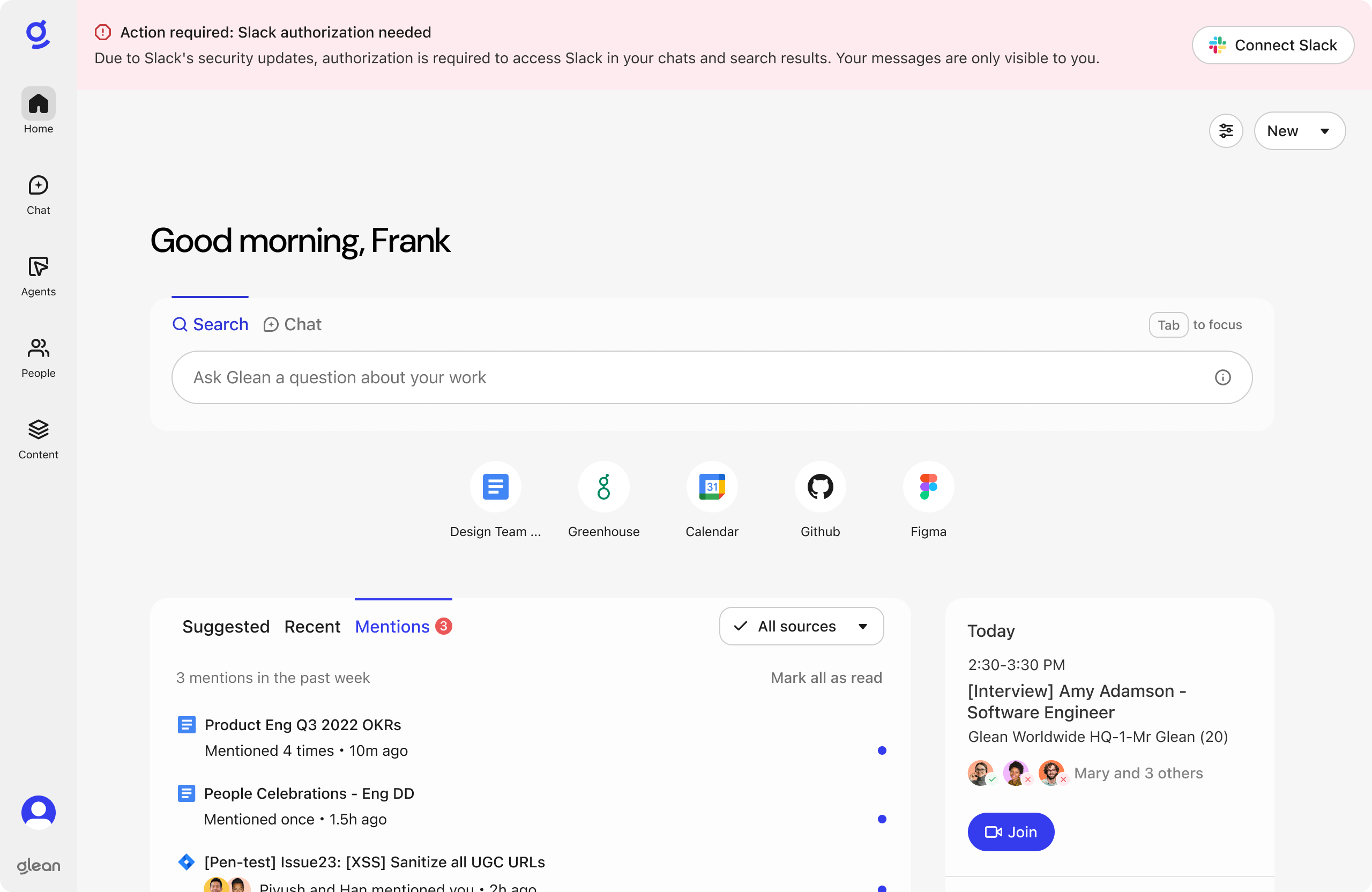
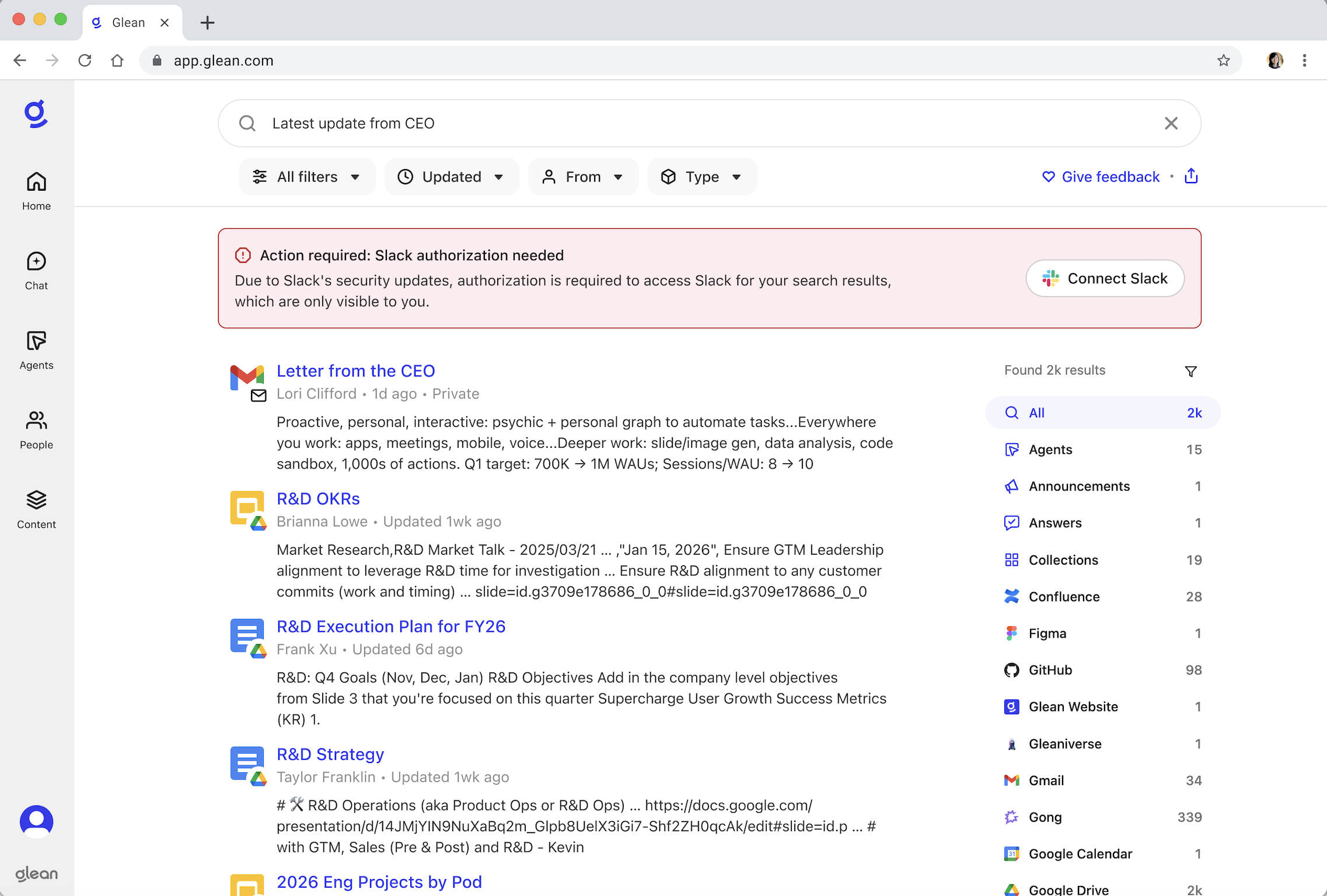
- Click Connect Slack and follow the prompts
- After authorization, Slack results will appear in your searches
You can manage your Slack connection in your Glean Settings page at any time.
Non-dismissible authorization banner: The Slack authorization banner cannot be dismissed and will remain visible until you have completed all required Slack authorizations. If your organization uses Slack, you may still see the banner until the dual authorization is complete.