Support Portal Access
note
Contact your company's assigned Account Executive (AE) for access to Glean's support portal.
Glean's support portal access restricts access only to Glean Administrators who are Designated Support Contacts as defined in the Glean Support Agreement.
This focused access control ensures that users submitting issues to Glean Support are:
- Fully authorized to make requests on behalf of their company
- Able to collaborate during support investigations
- Equipped to assist in issue resolution
Resetting support portal credentials
To reset your Glean Support Portal credentials, follow these steps:
1
Initiate Password Reset
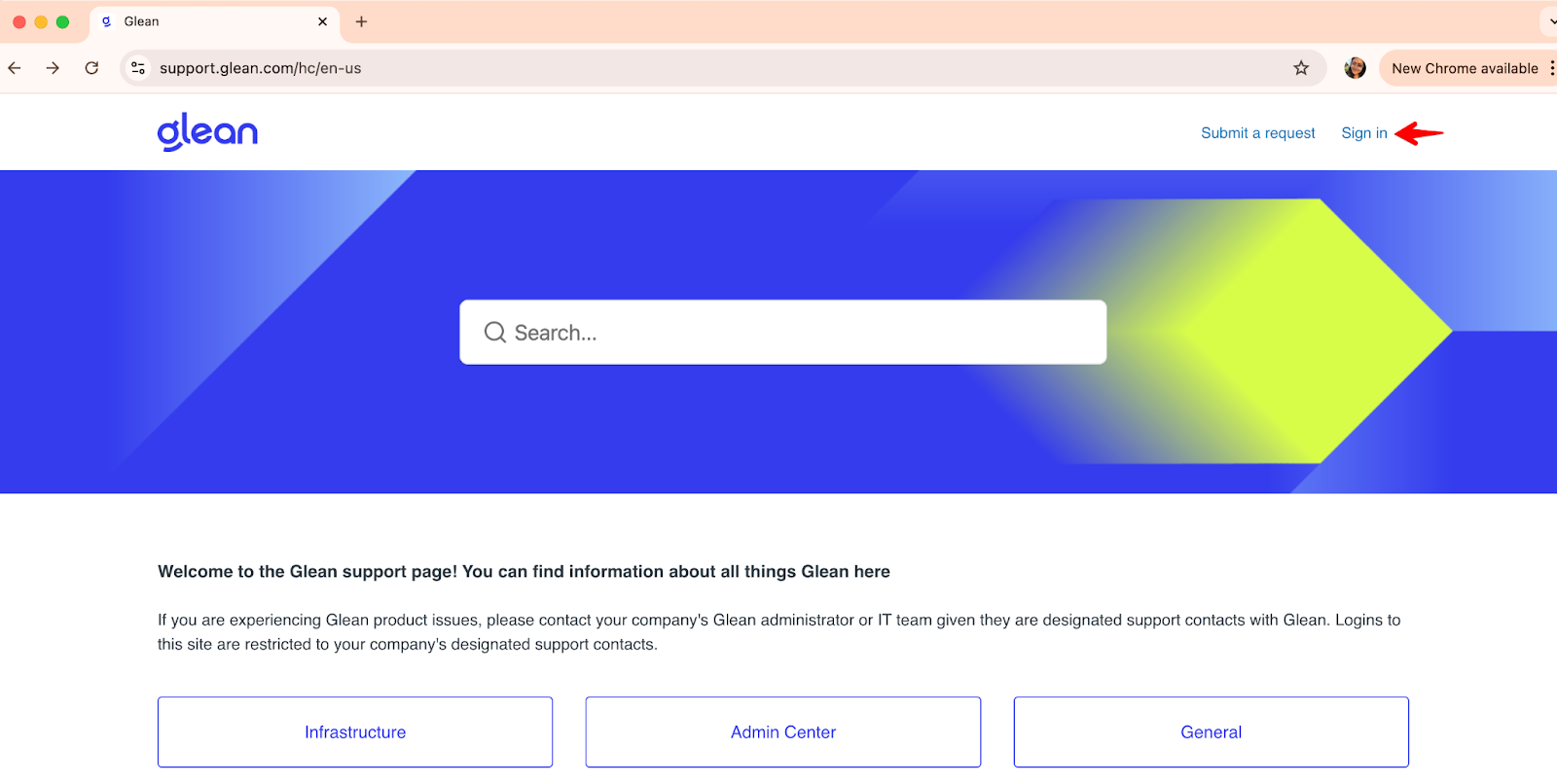
- Go to the Glean Support Portal at https://support.glean.com.
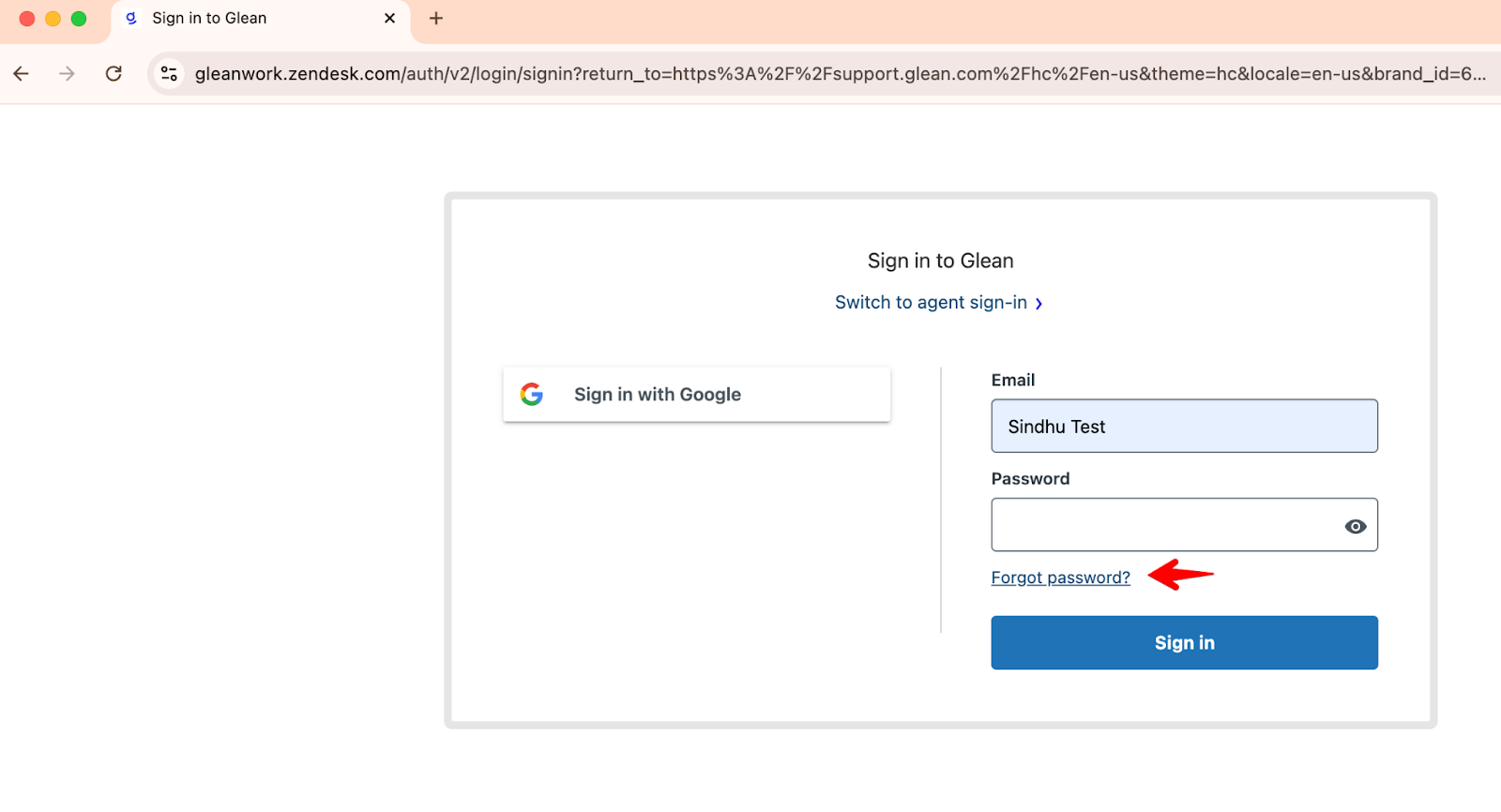
- Click on the "Forgot Password" link on the login page.
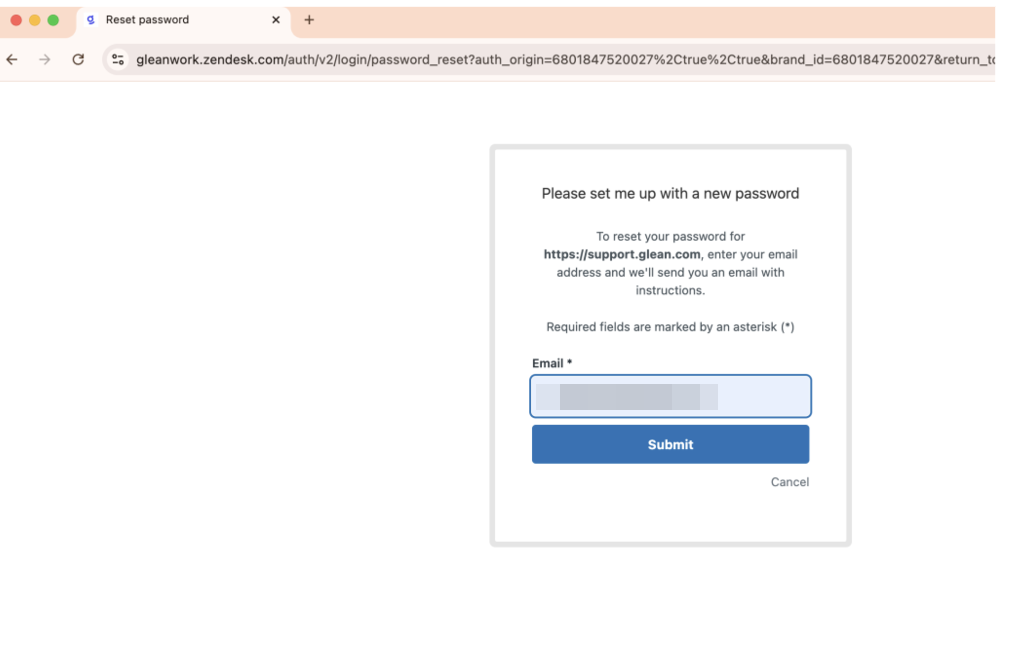
- Enter your registered email address and submit the form.
2
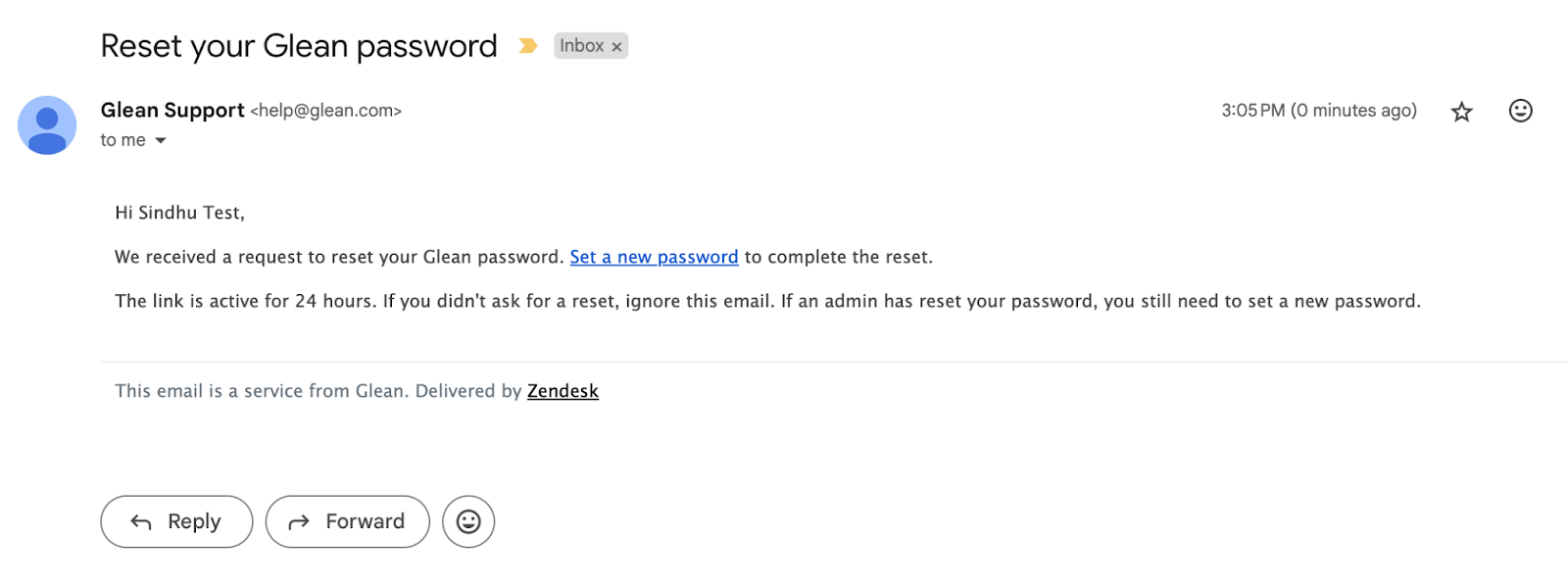
Check Your Email
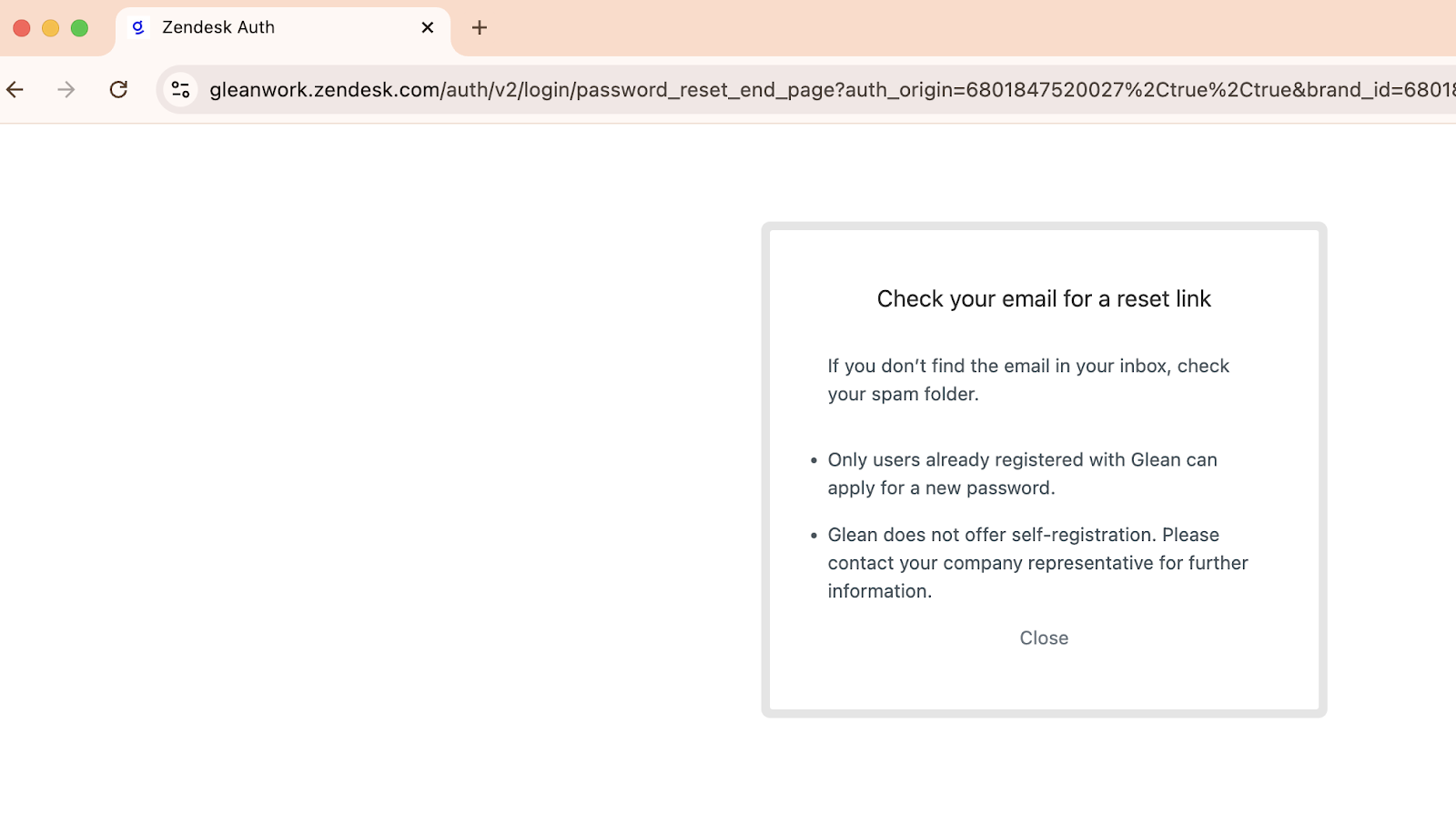
- You will receive an email from Glean Support with a link to reset your password.
- If you do not see the email in your inbox, check your spam or junk folder.
3
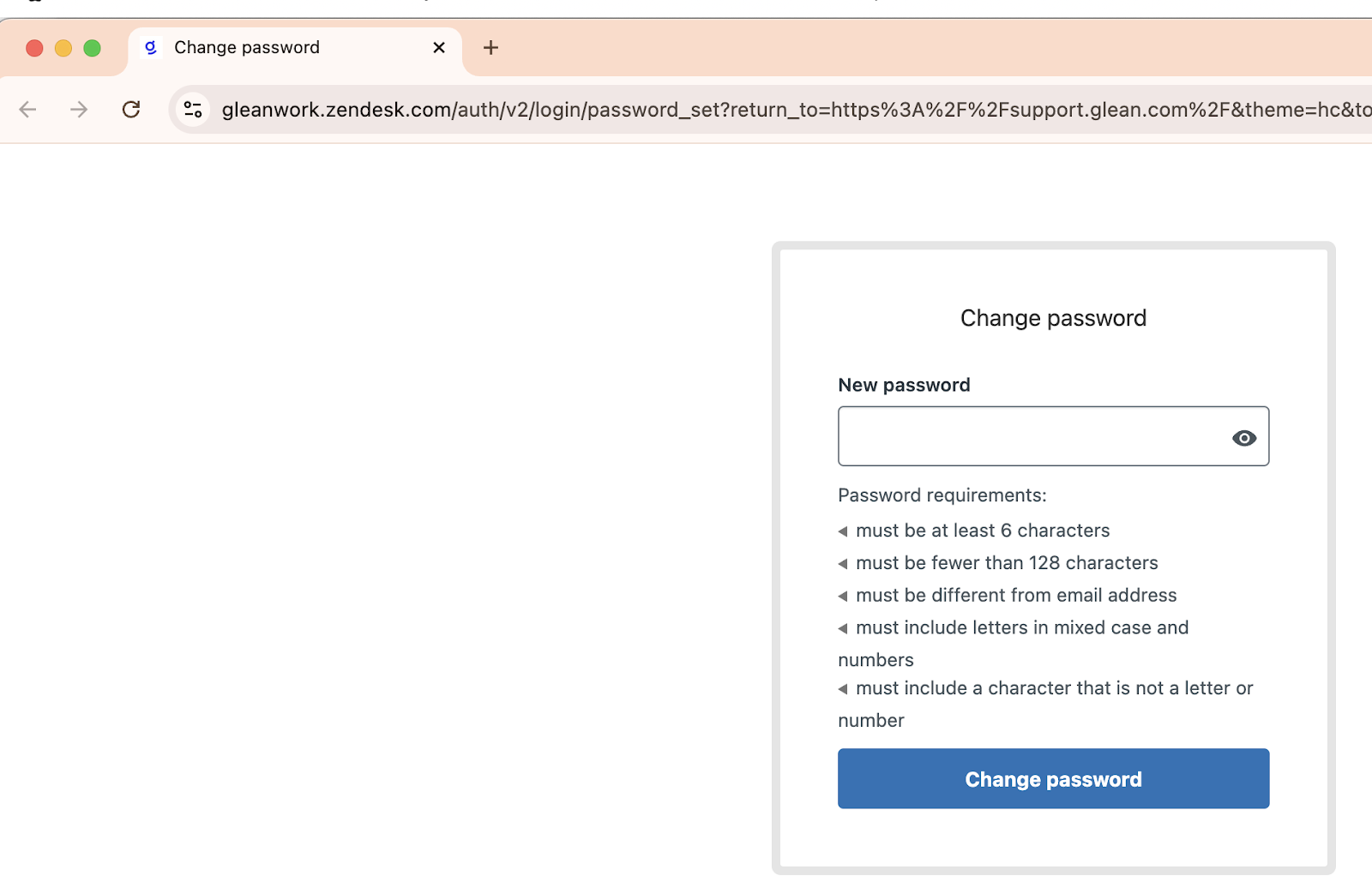
Reset Your Password
- Click on the password reset link in the email.
- Follow the instructions to create a new password for your account.
4
Login with New Credentials
- Return to the Glean Support Portal and log in using your email address and the new password you created.